Calendra
Book anytime, manage easily
Calendra is a modern online booking and scheduling platform that helps businesses accept appointments, reservations, and event bookings with ease. It connects with popular calendar services to manage availability in real time, lets customers book online 24/7, and supports secure card payments for a seamless checkout. Embed it on your own site or use the dedicated hosted business page to establish a professional booking presence — no website required. Whether you run a salon, restaurant, venue, clinic, or events business, Calendra makes online booking simple for businesses and their customers alike.
What Calendra Offers
One-Snippet Embed
Drop a single script tag into any website — Wix, Squarespace, or custom — and a Book button appears. No plugins, no code.
Real Calendar Sync
Connect your Google Calendar and confirmed bookings are written straight to it, so your availability is always accurate.
No Double-Booking
Availability is checked in real time and overlaps are blocked at the database level, so two visitors can never grab the same slot.
Services & Hours
Define your services with durations and buffers, set your weekly working hours, and let Calendra generate bookable slots automatically.
Instant Notifications
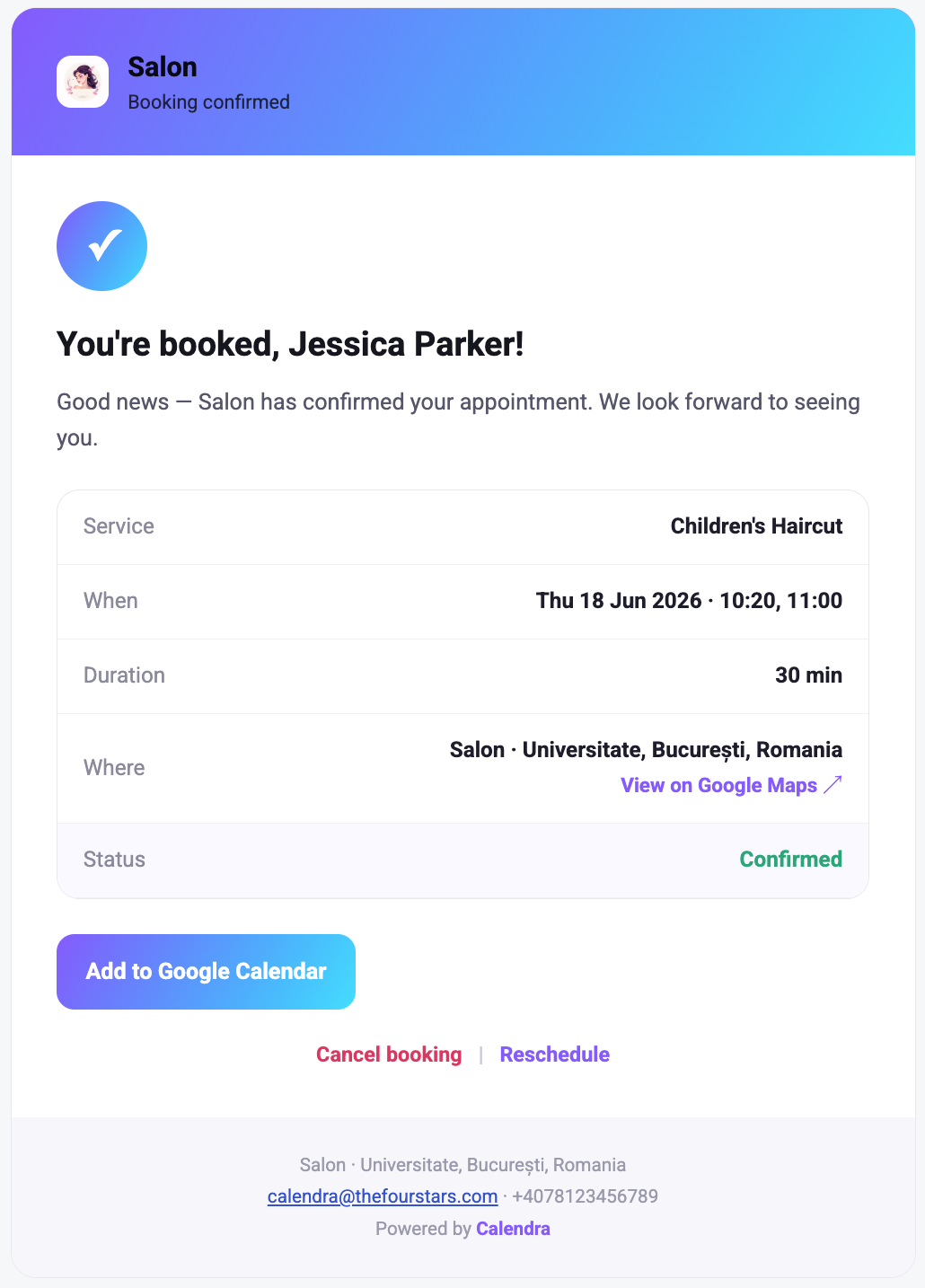
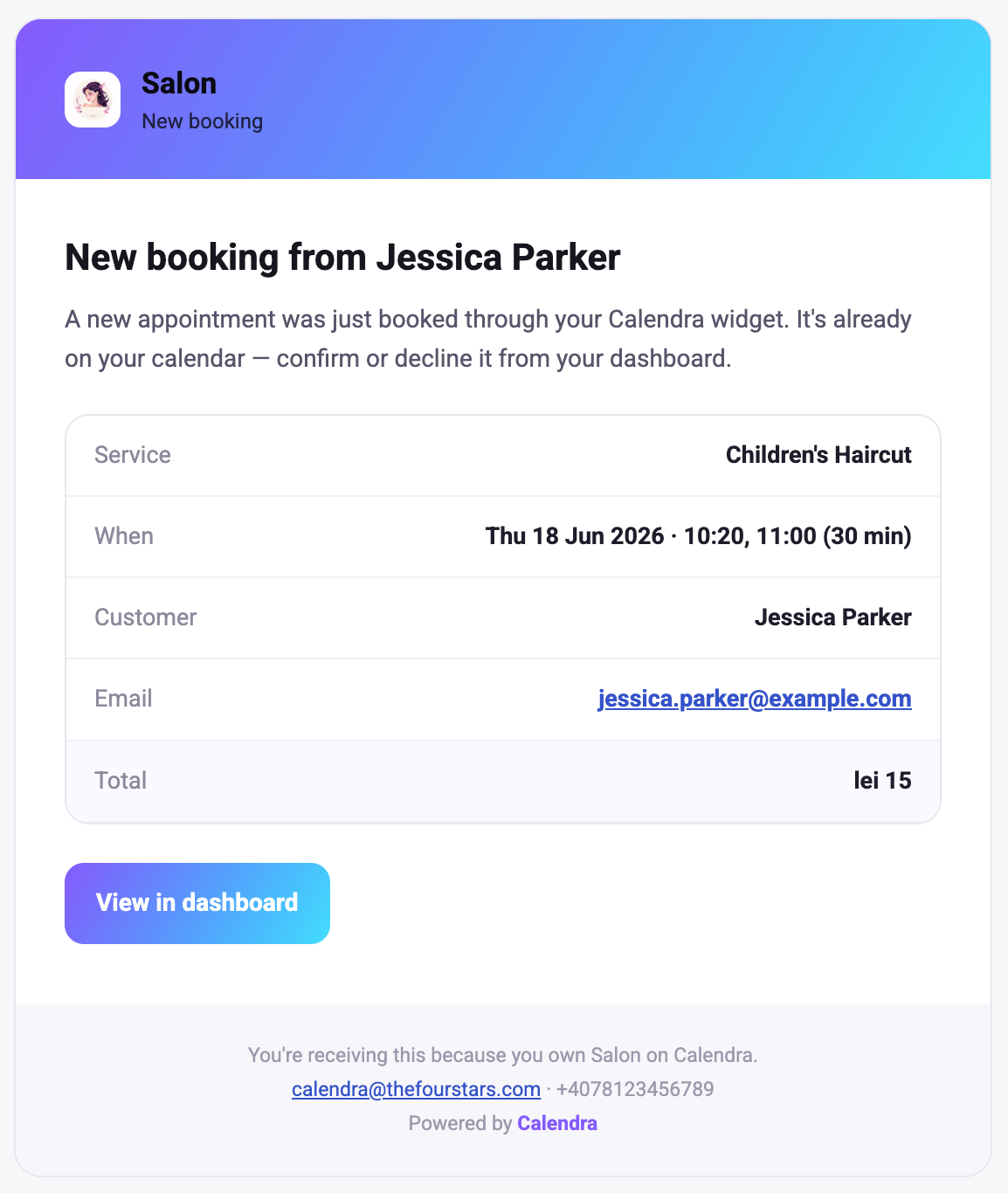
Customers get a confirmation email with a calendar invite, and you get an alert the moment a new booking comes in.
Multiple Venues
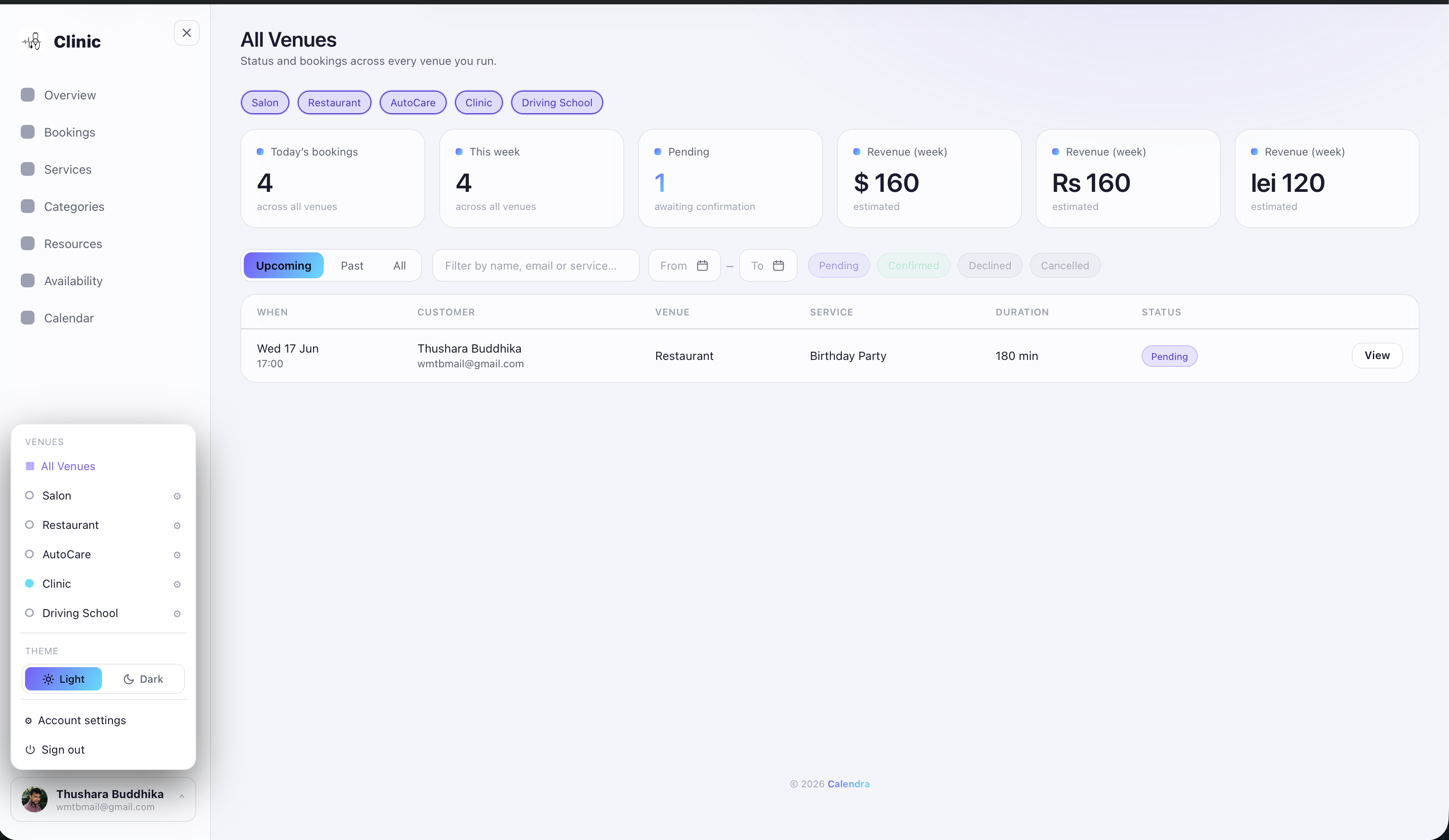
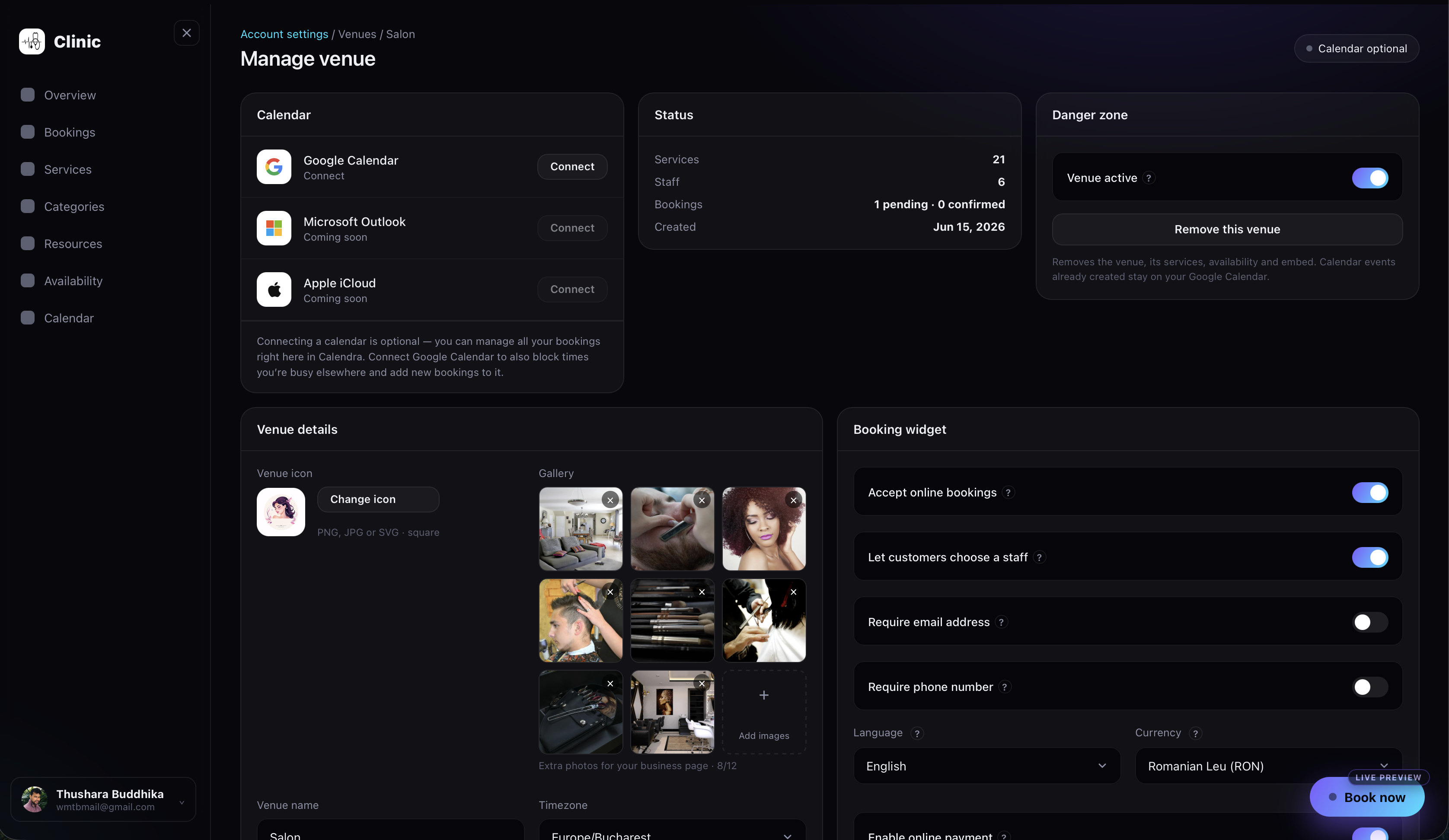
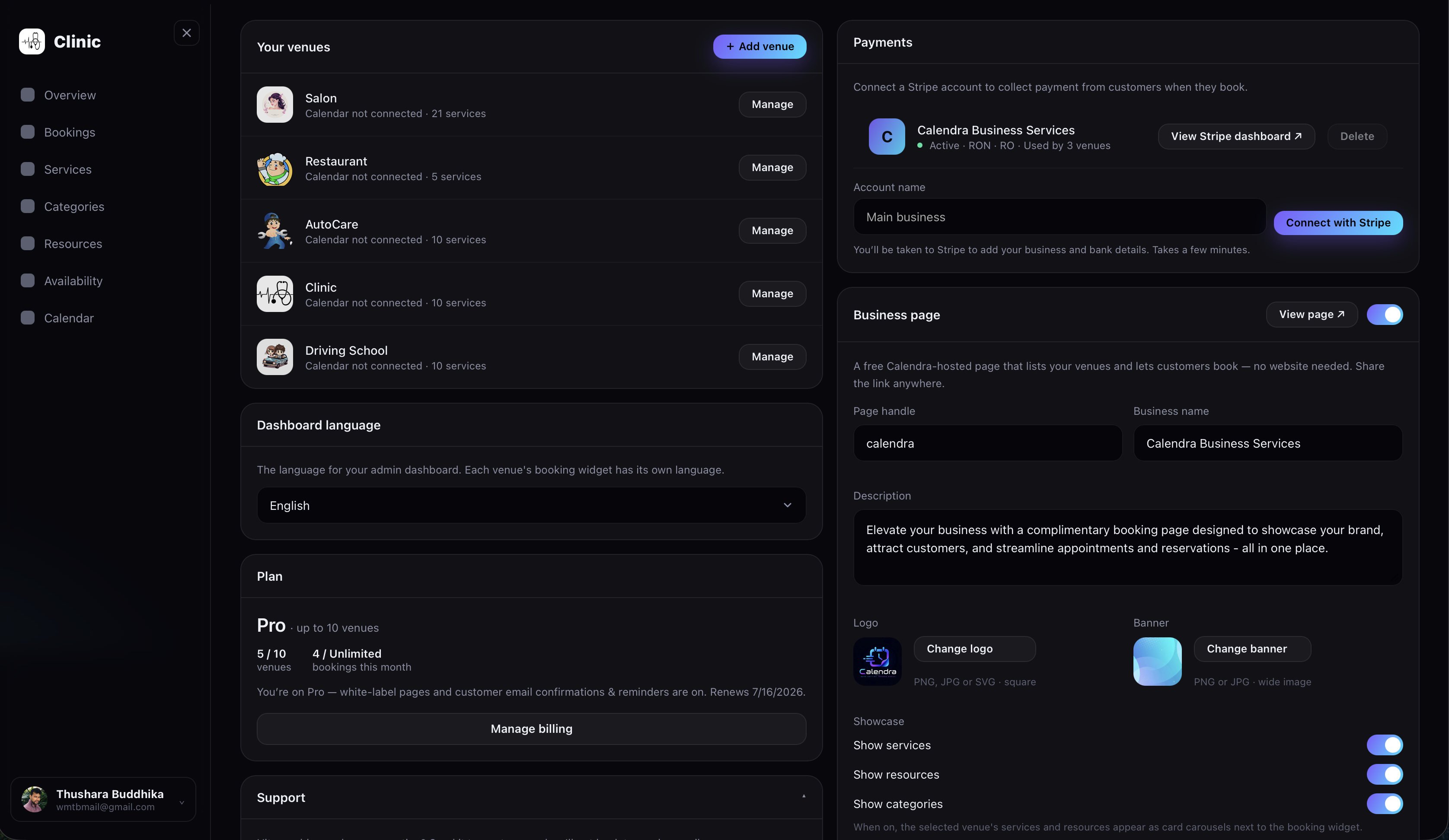
Run more than one business from a single account. Each venue keeps its own calendar, services, hours, and embed code.
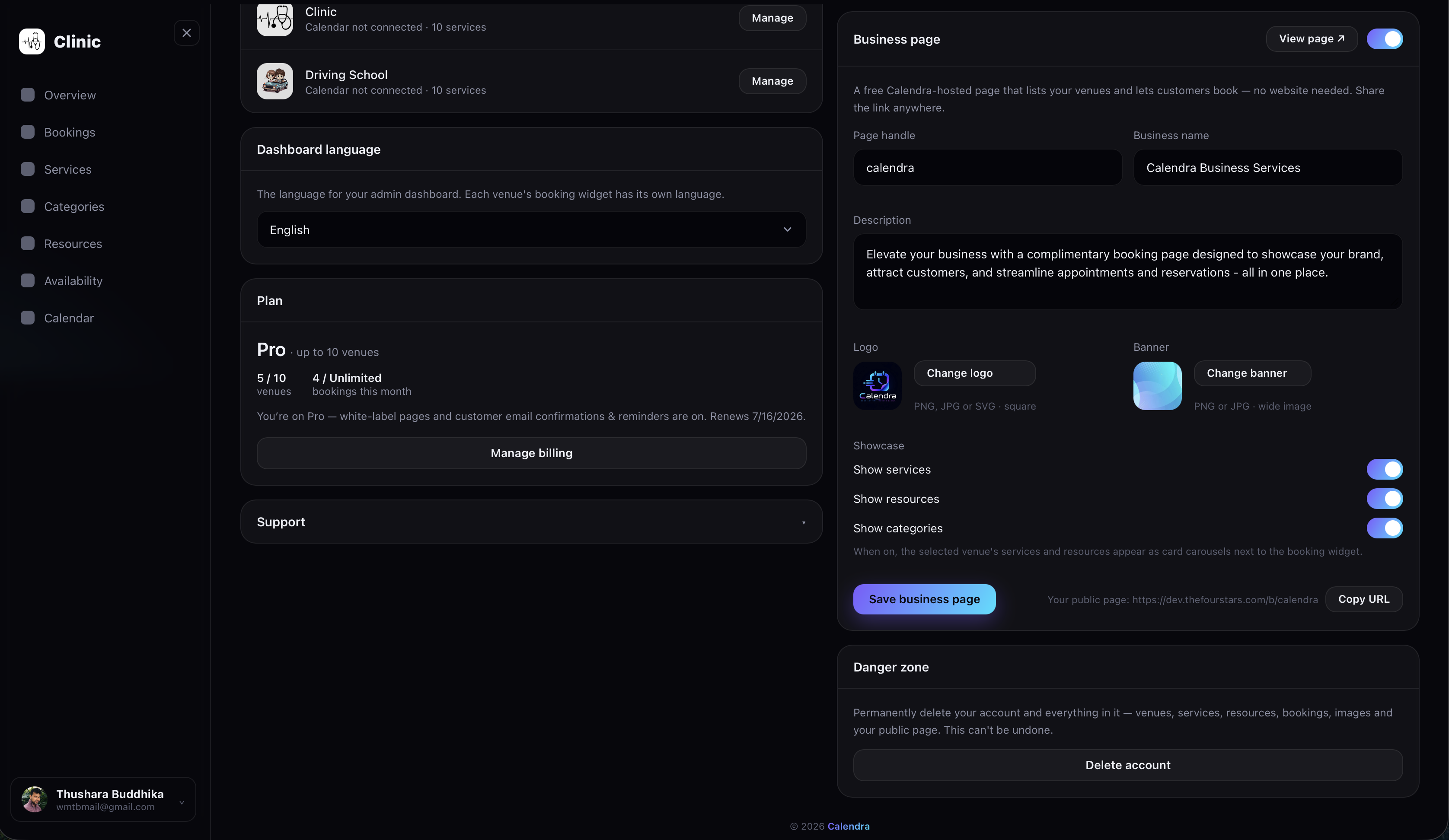
Hosted Business Page
Get a dedicated, customisable business page that gives you a professional online booking presence — even without your own website.
Flexible Payments
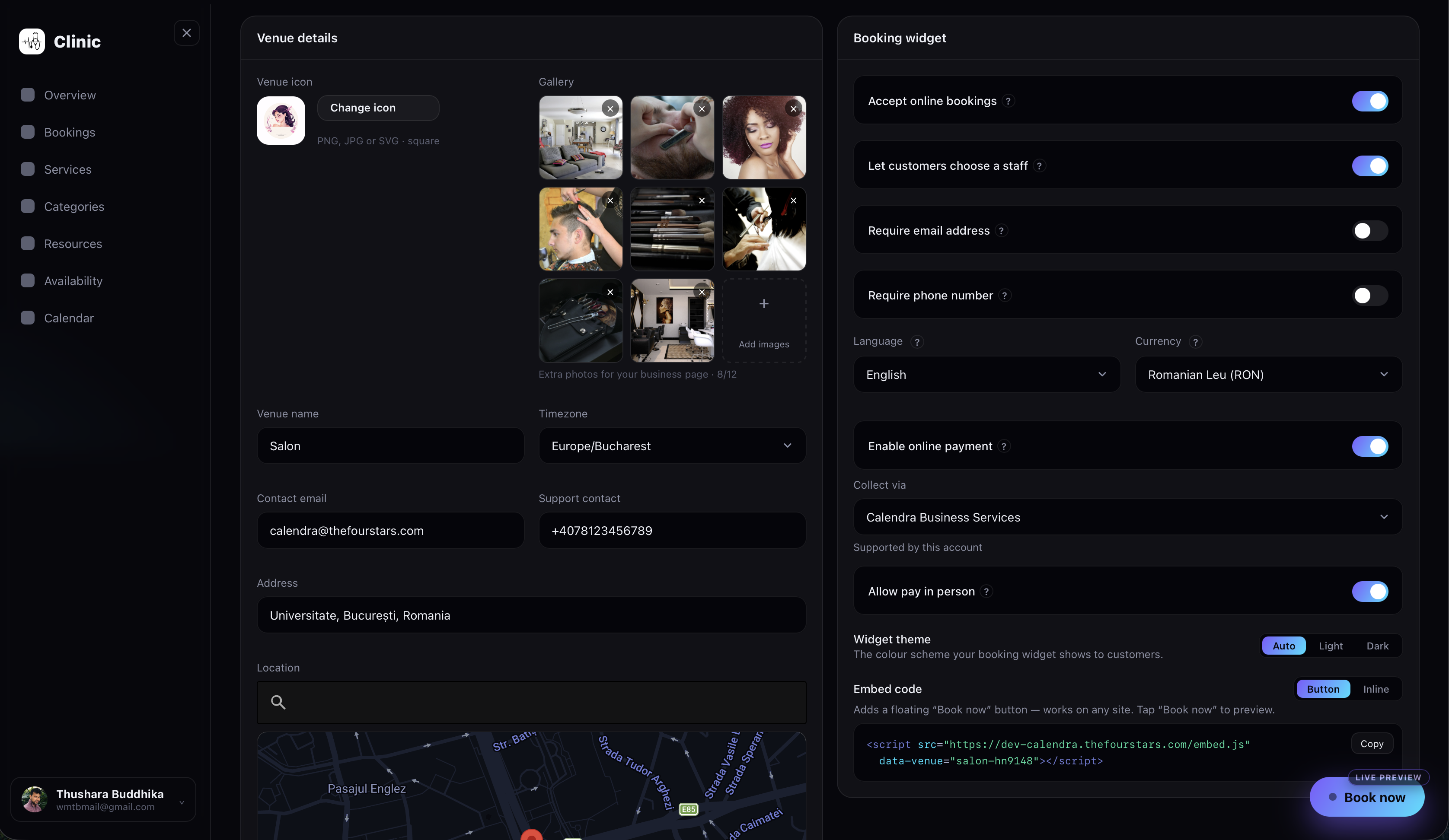
Collect secure card payments online at checkout, or let customers pay at the store — choose what works for your business.
Mobile-Friendly Booking
Every booking flow is built for the phone, so customers can find services and reserve a slot smoothly on any device.
Customisable Widget
Tailor the booking widget to match your brand and the way you work, with extensive options to fit it to your site.
Multilanguage Support
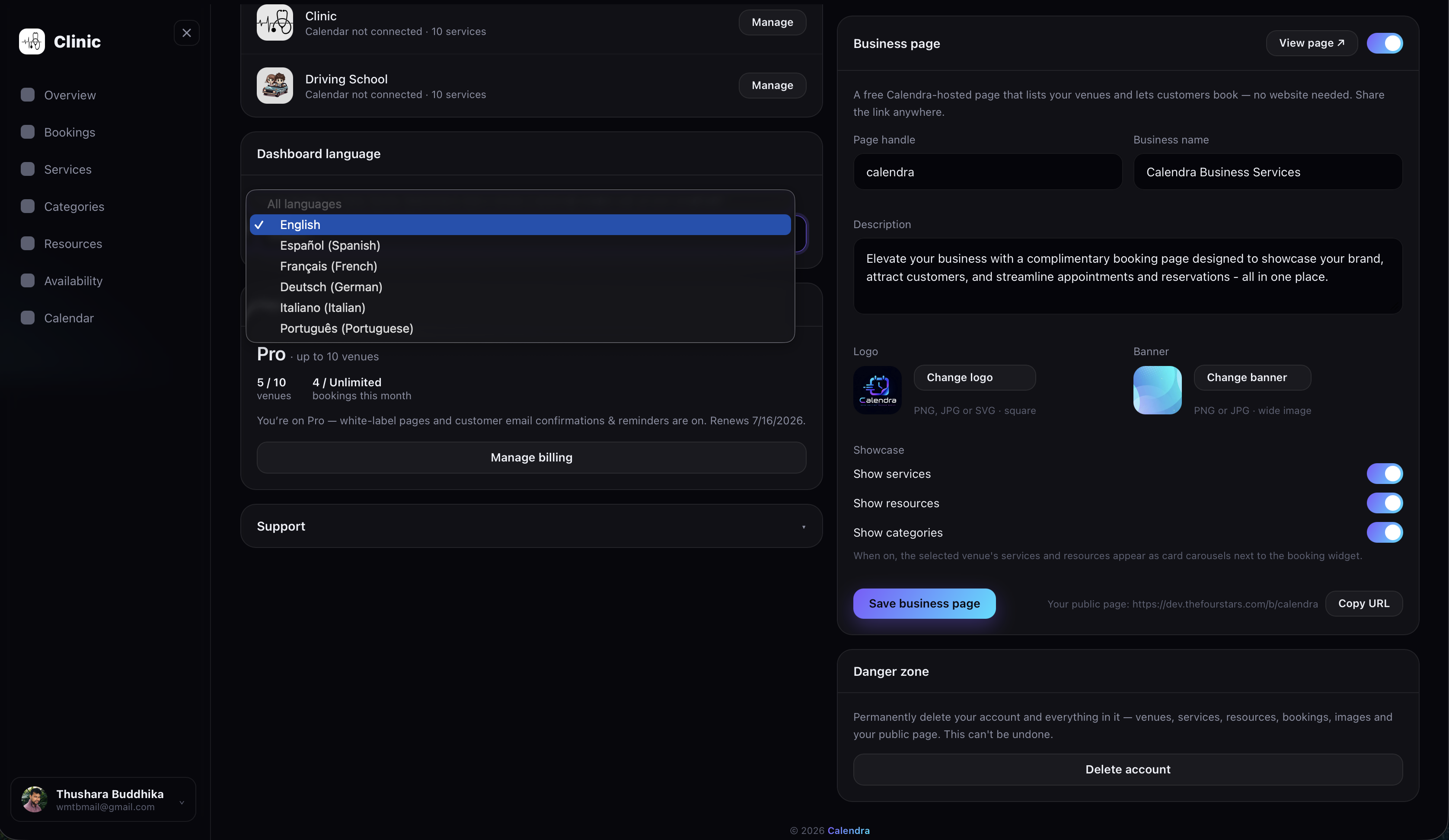
Serve customers in their own language — both the booking widget and your dashboard support multiple languages.
Currencies & Timezones
Price and collect payments in a wide range of local currencies, and serve customers across many timezones, so amounts and times always look familiar.
See Calendra in Action
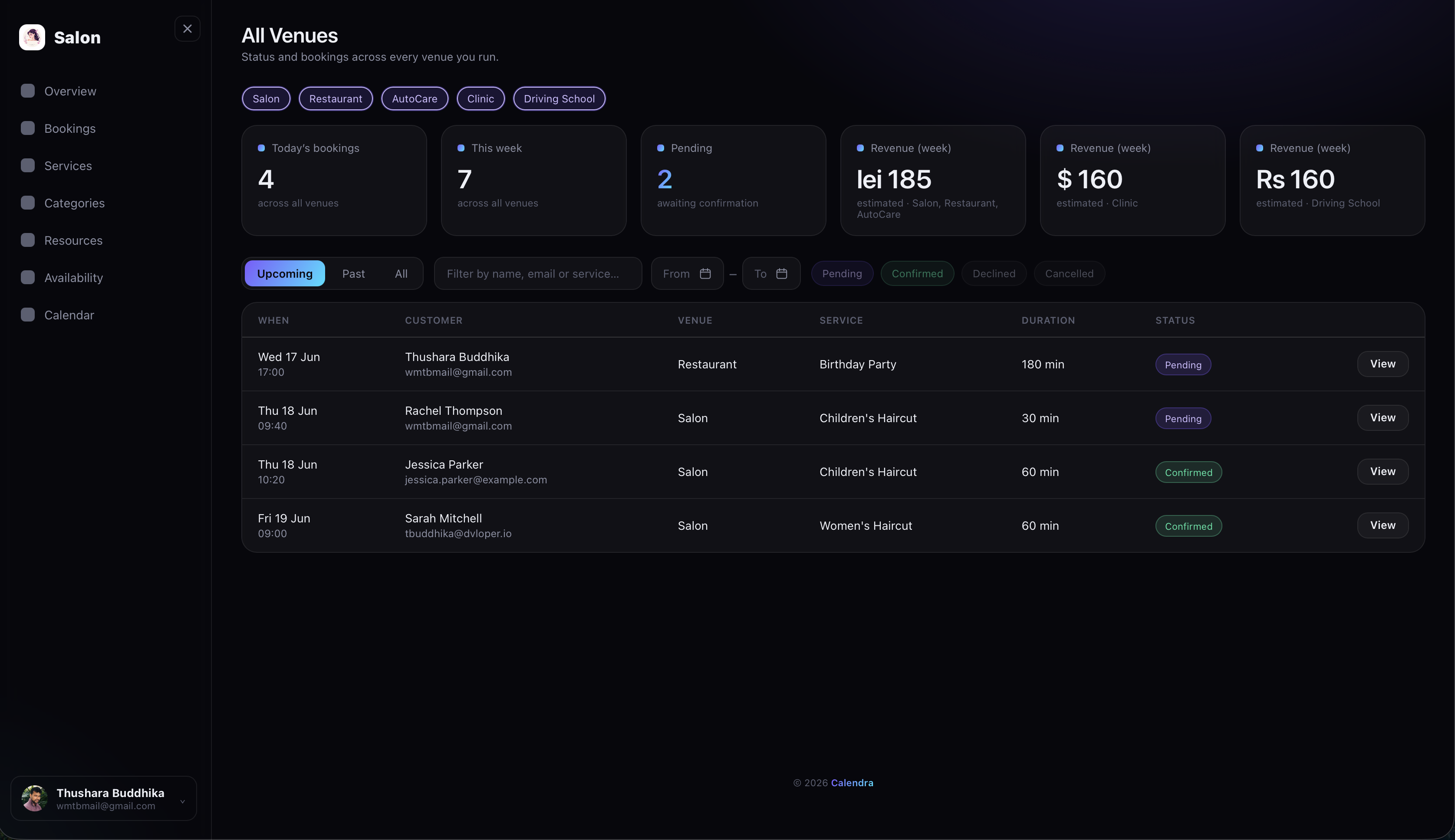
Your Dashboard
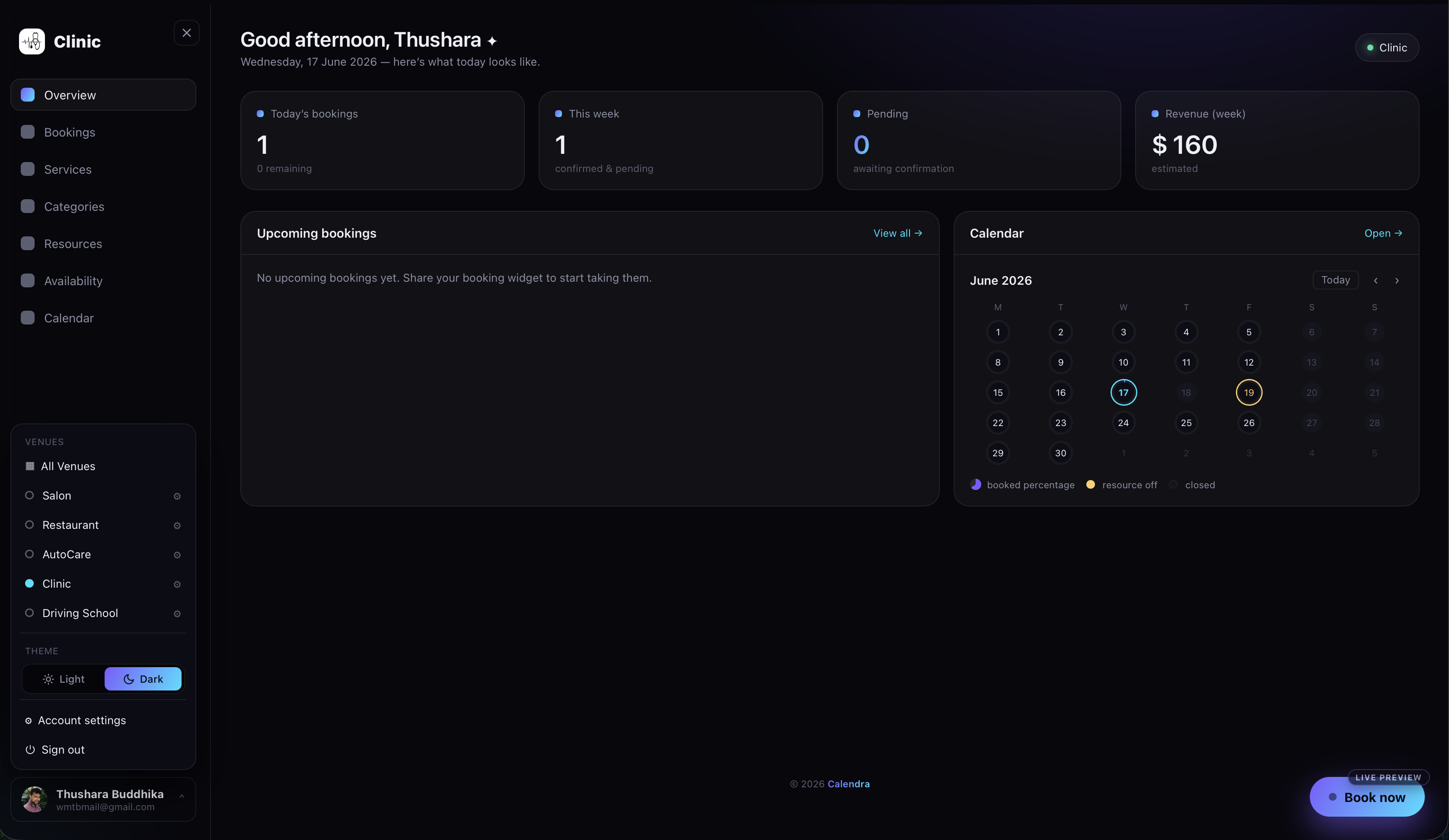
Open Calendra to a clear overview of your day — today's bookings, what's coming this week, pending confirmations, and estimated revenue, with a calendar that shows how full each day is at a glance.
Connect Your Calendar
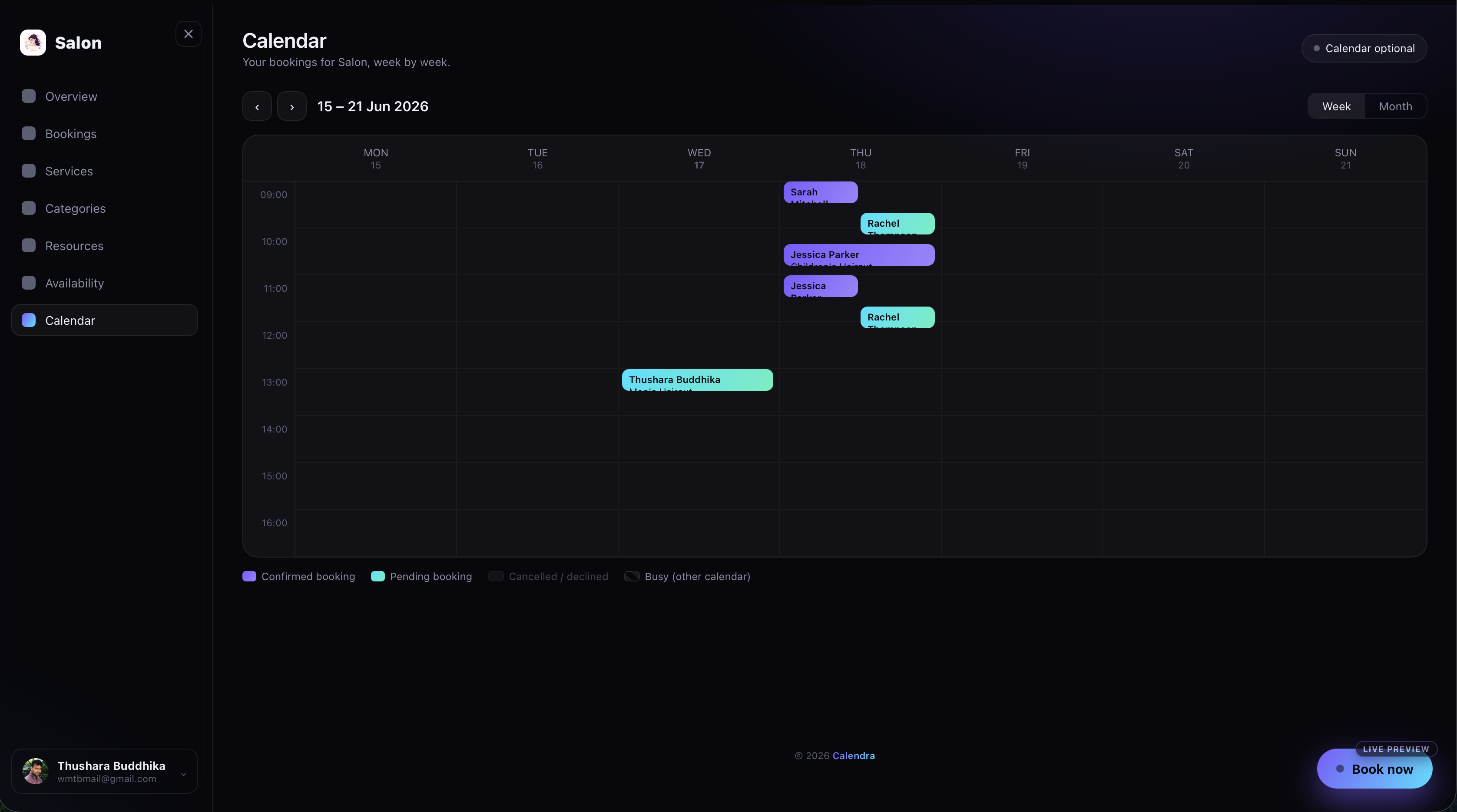
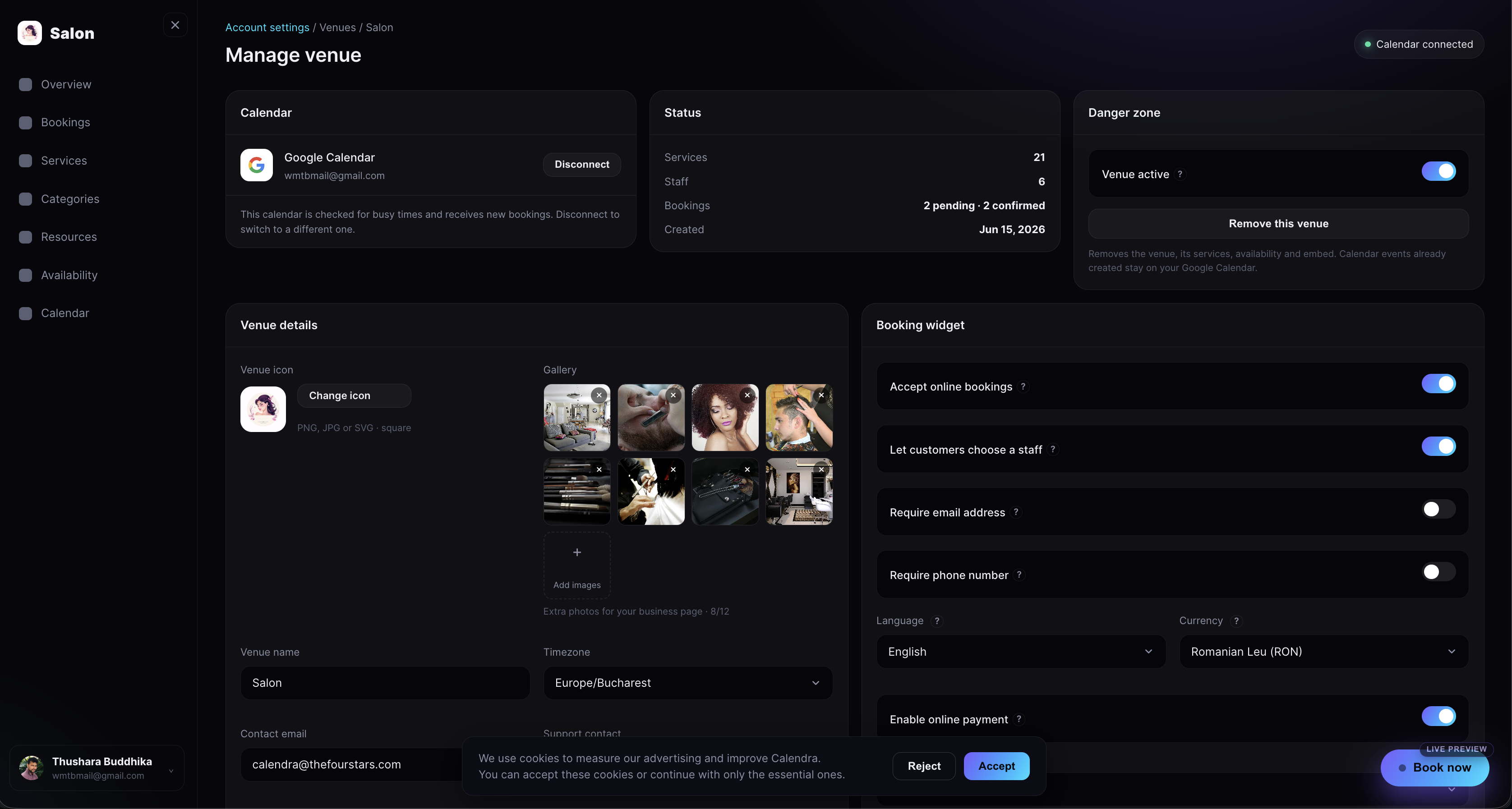
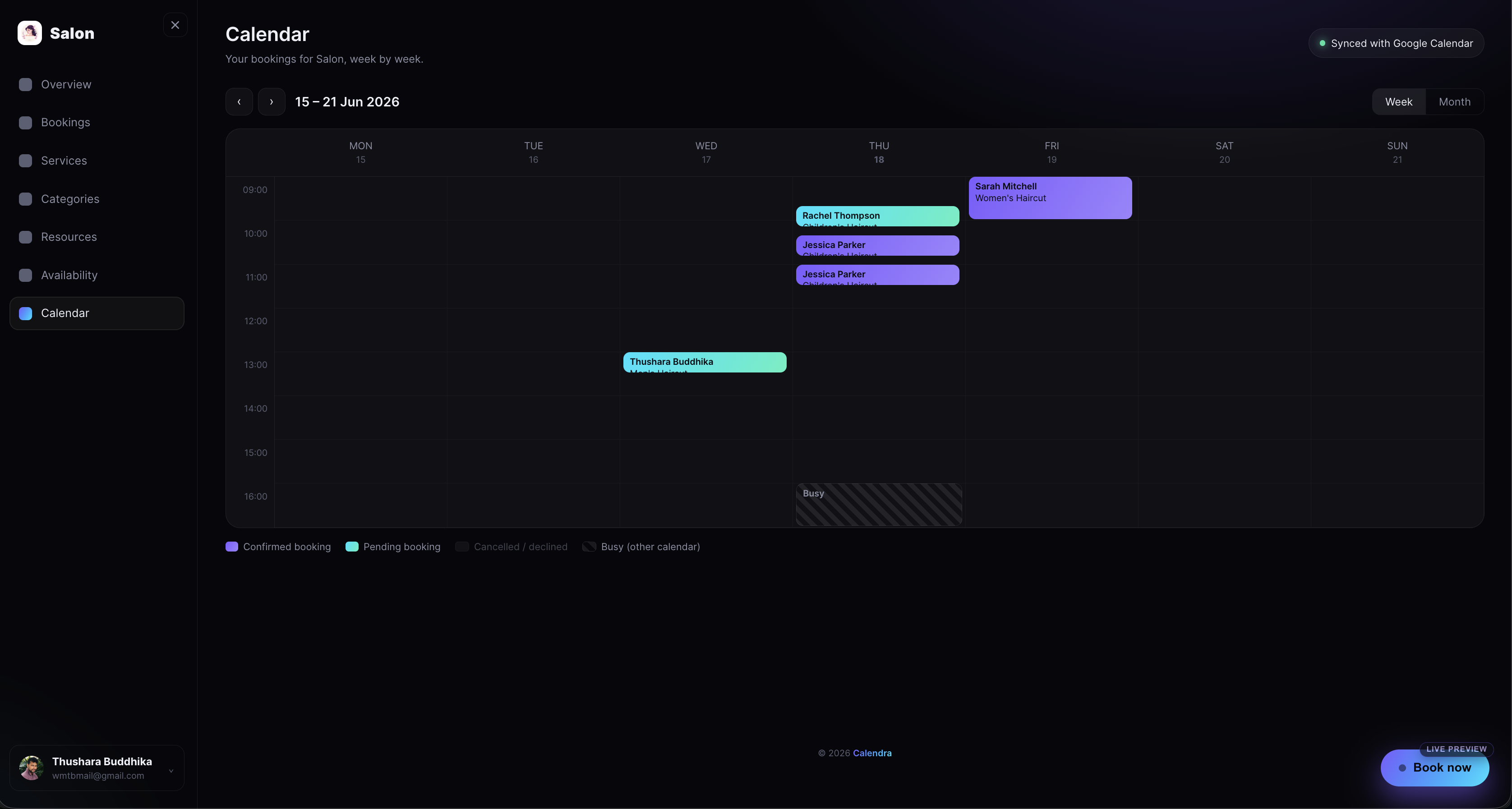
Link your Google Calendar and Calendra automatically reads the events you already have outside Calendra. Those busy times are blocked in the booking widget, so customers can only pick slots when you're genuinely free — no clashes with meetings, appointments, or personal plans. New venue bookings sync straight back to the linked calendar too, and each venue can have its own — though connecting a calendar is entirely optional.
Define Your Services
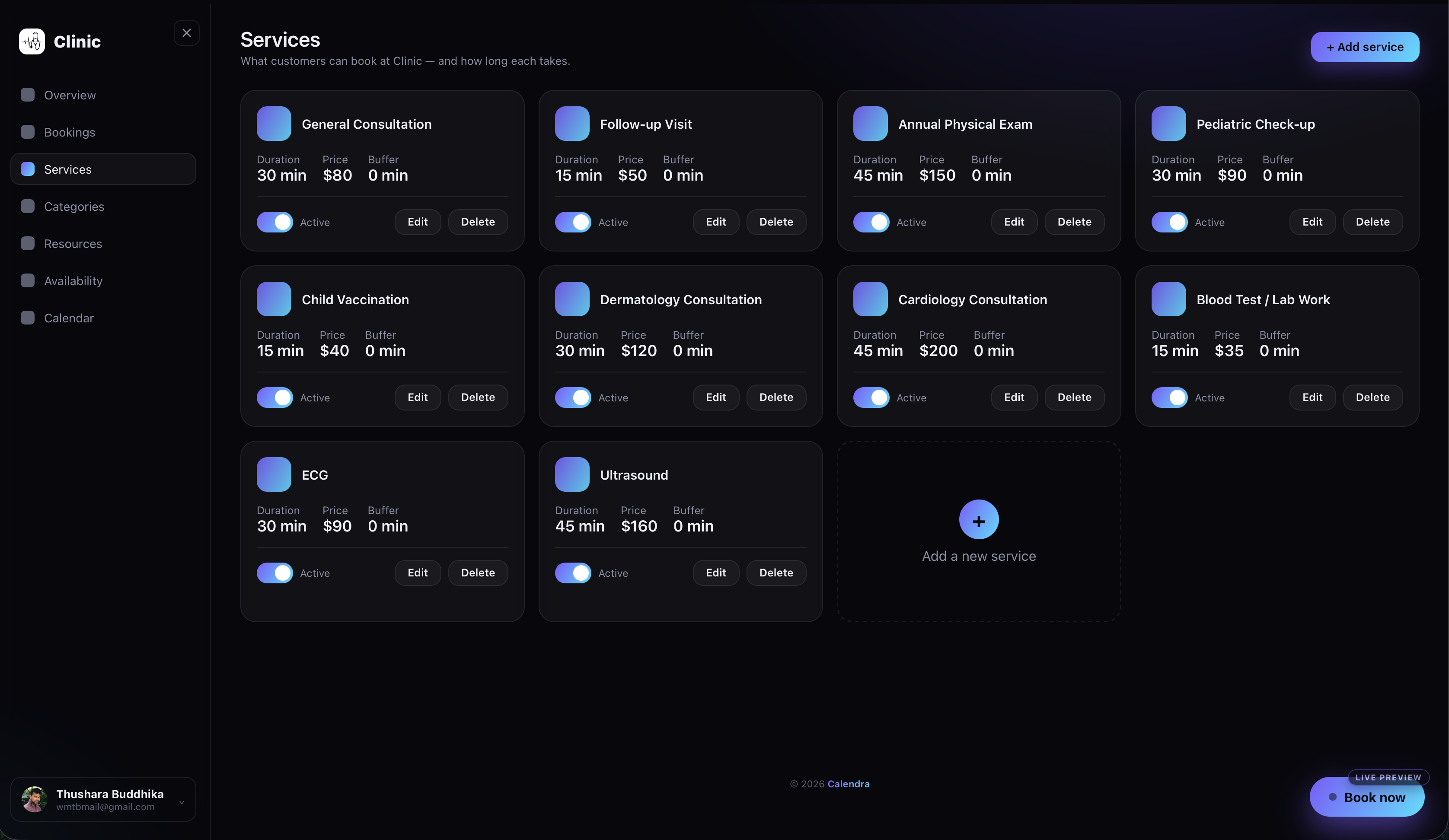
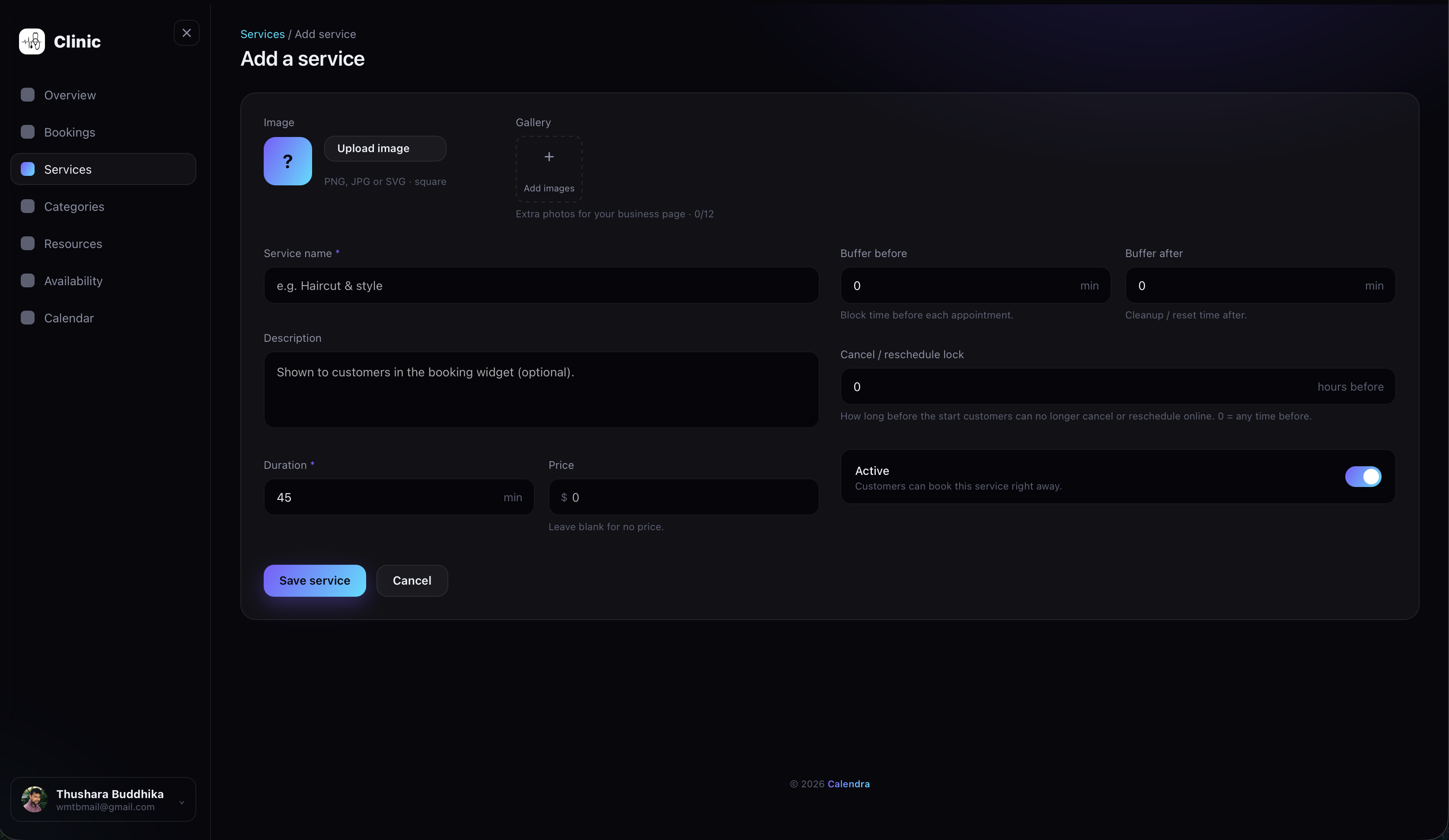
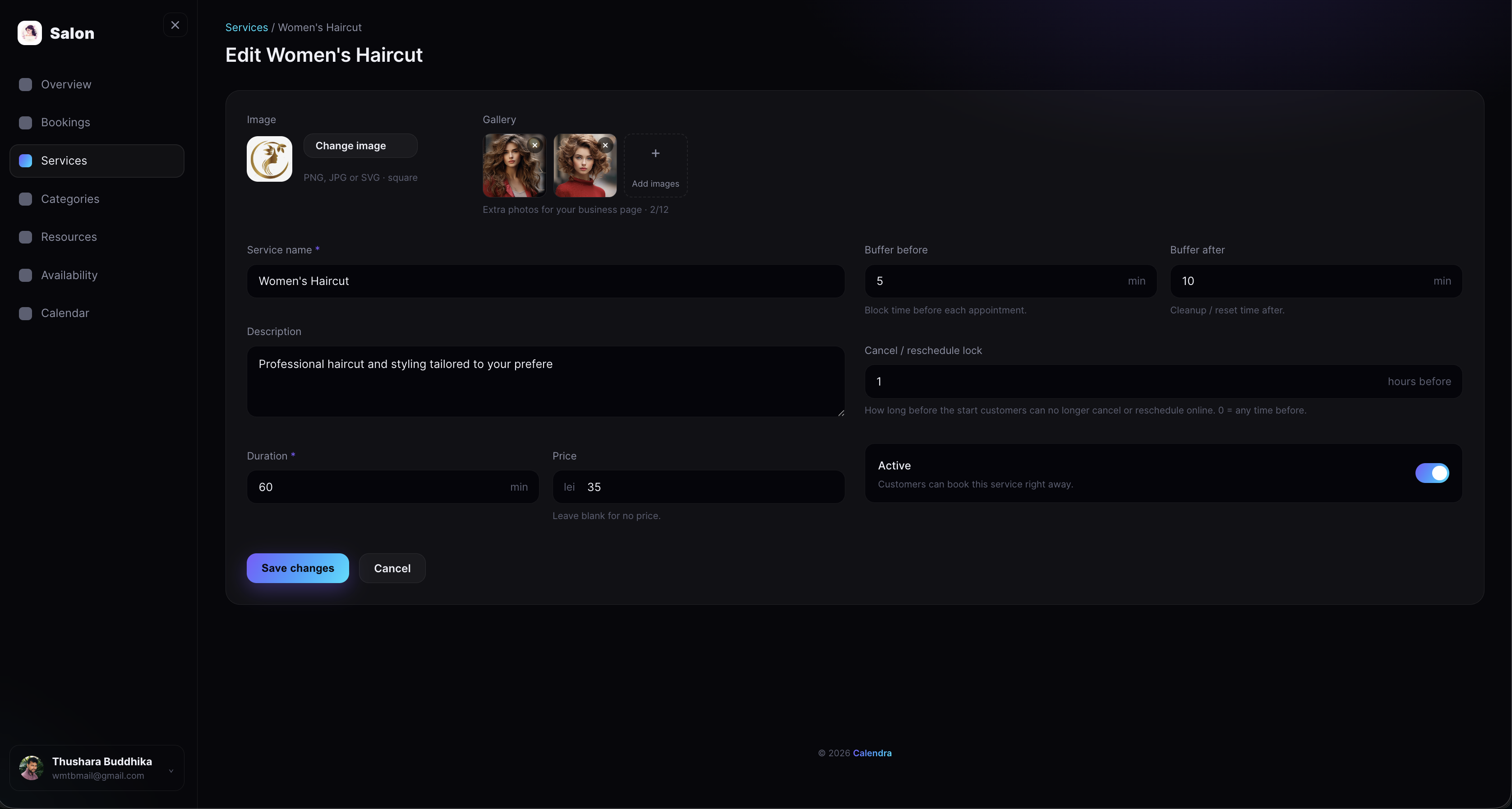
Set up everything customers can book — each with its own duration, price, and buffer time. Add a gallery of images to every service so it shows off beautifully on your business page, and activate or deactivate services in a tap as your offering changes.
Organise Services into Categories
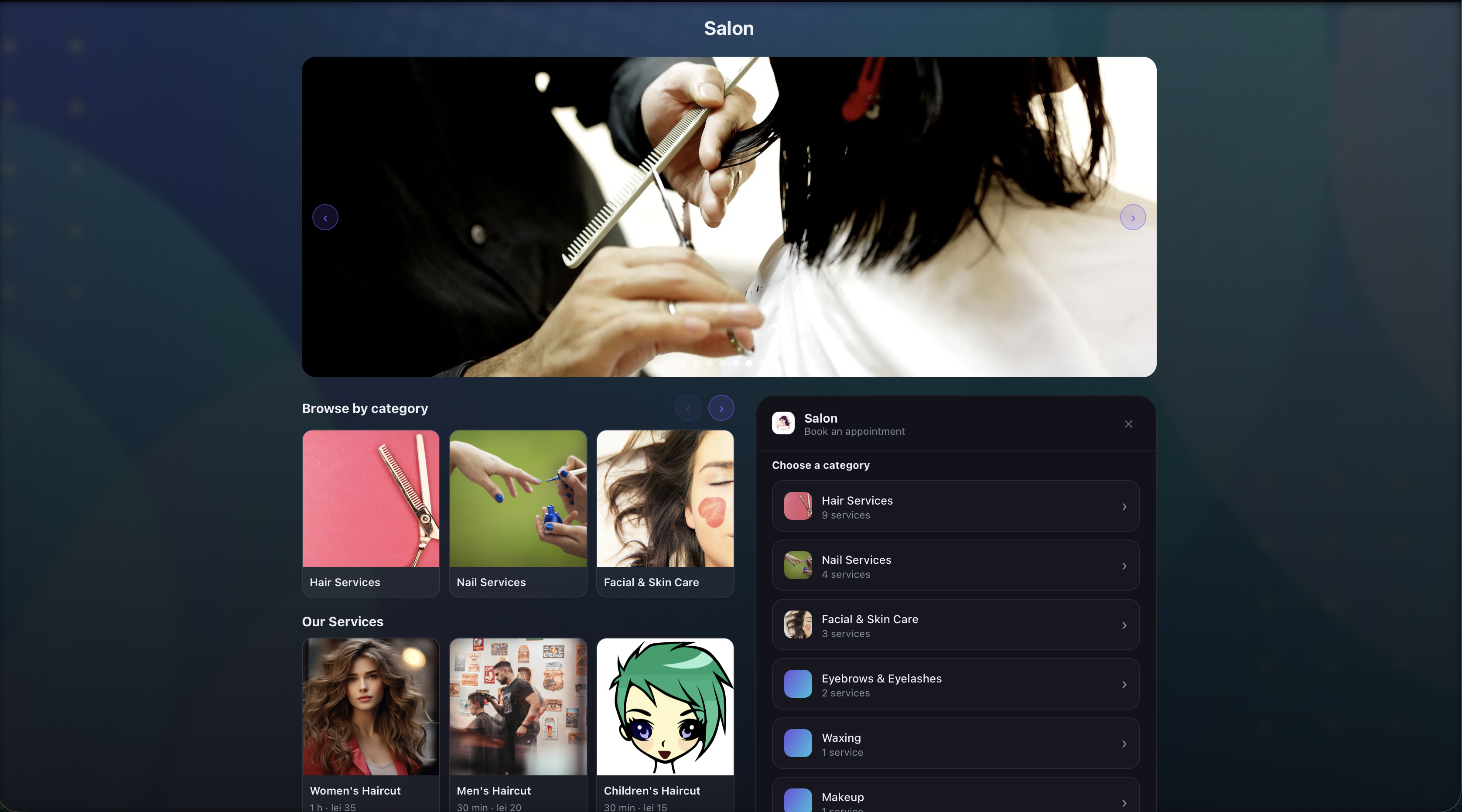
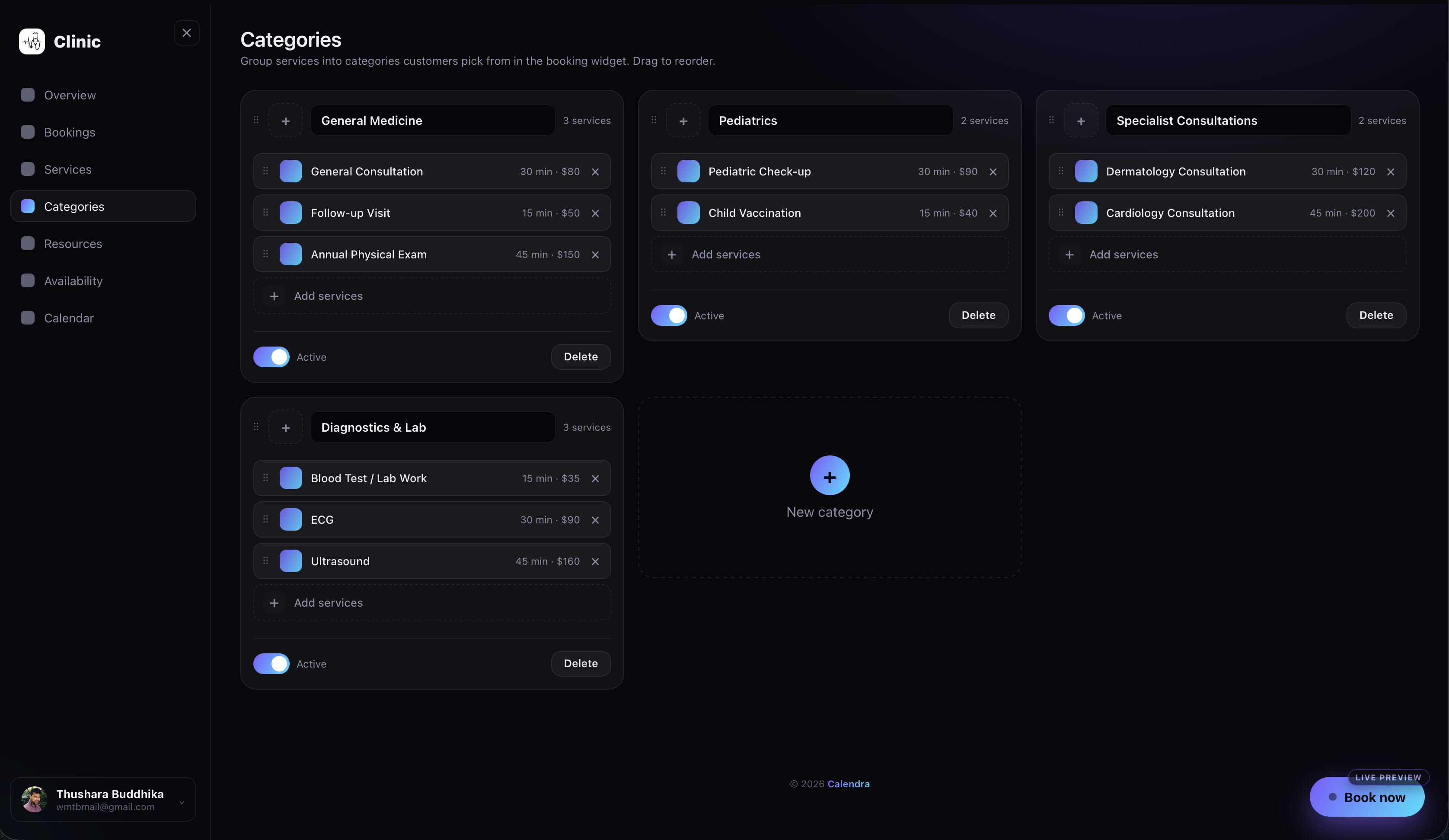
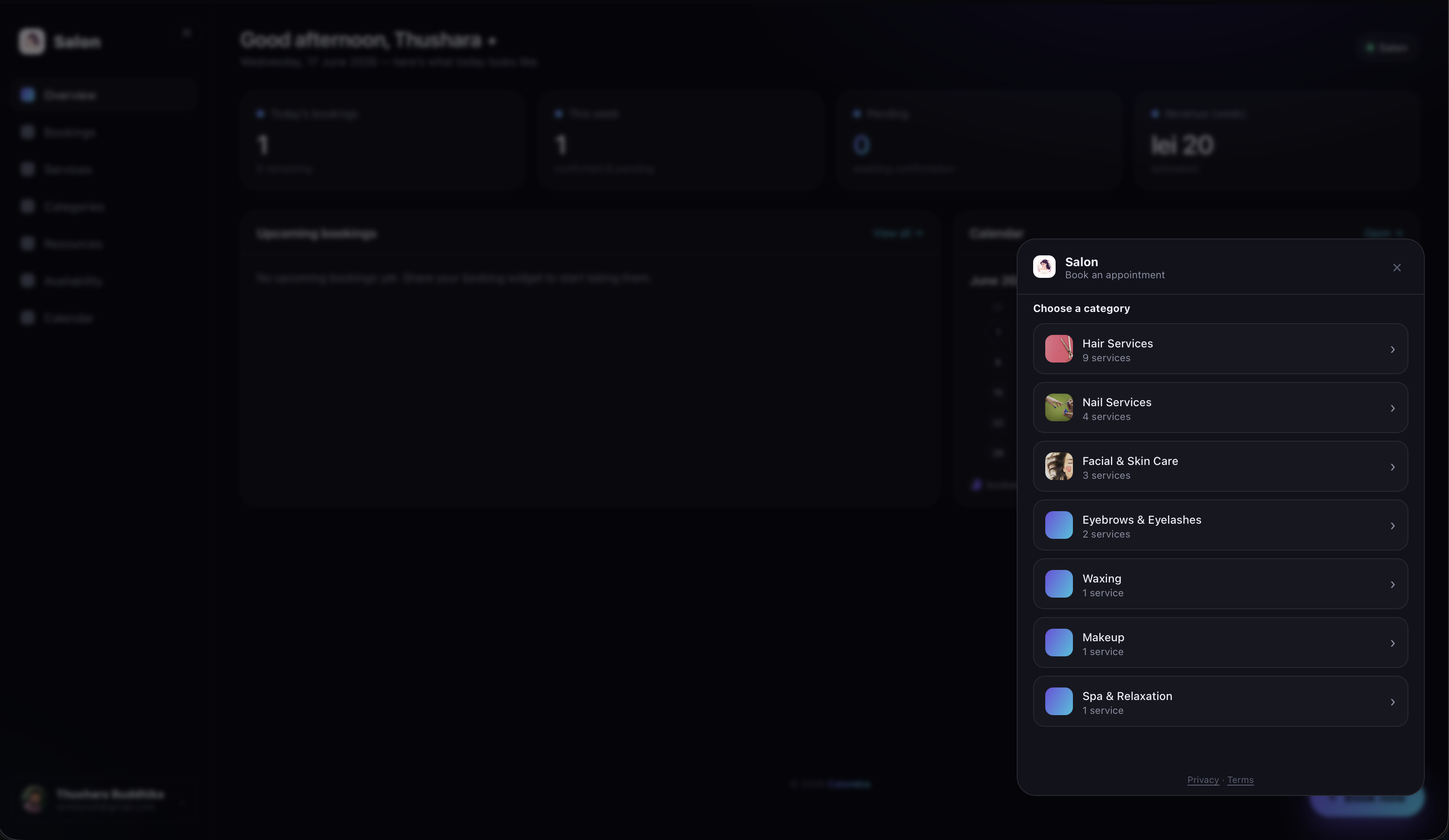
Group related services into categories, each with its own image and name, and drag to reorder them. When a venue has categories, the booking widget opens with a tidy category picker so customers narrow down before choosing a service — and you can show or hide any category in a tap.
Resources That Get Booked
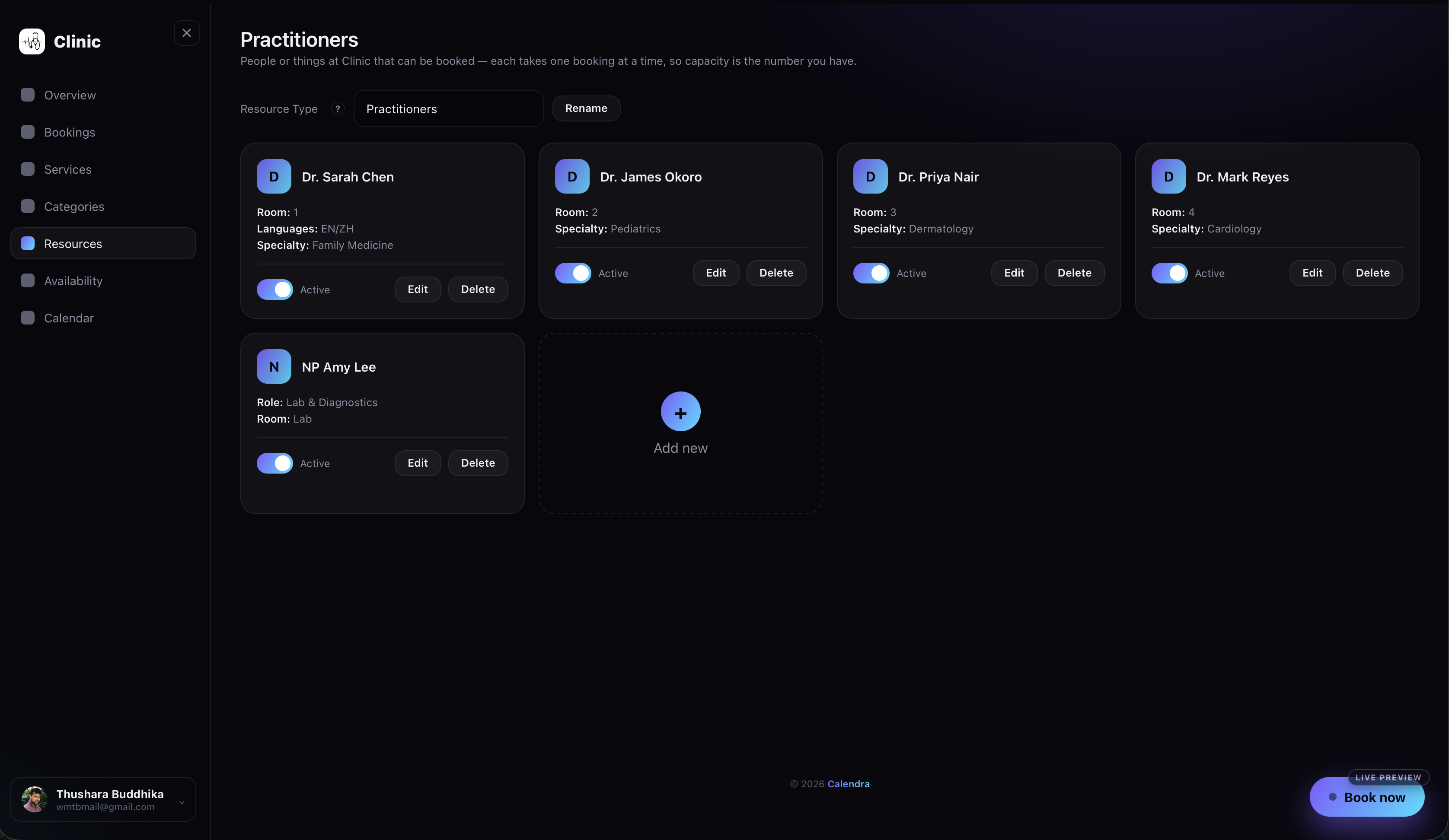
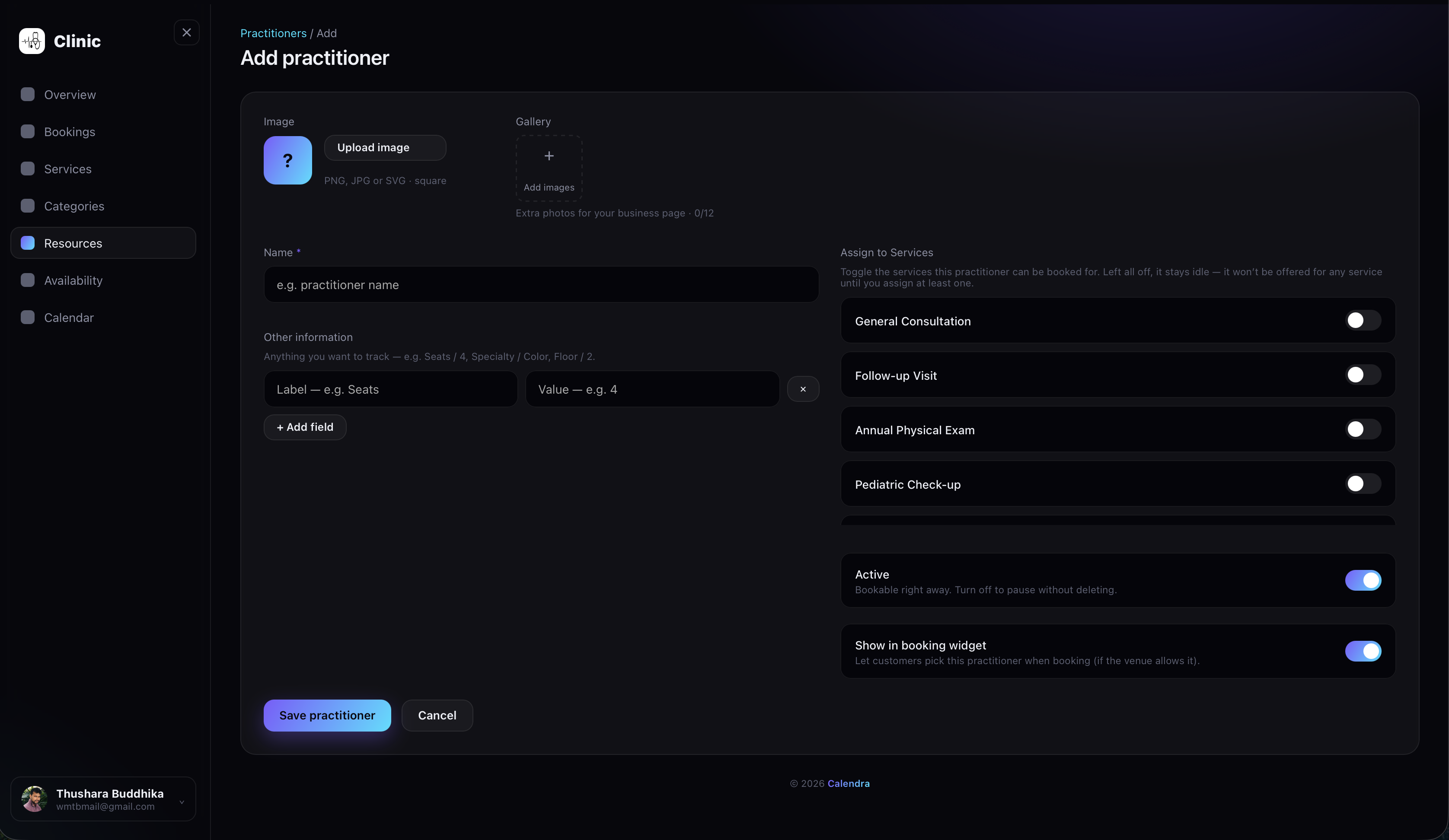
Tell Calendra what gets reserved — staff, tables, rooms, or chairs. Each resource takes one booking at a time, so your real capacity is always respected. Rename the resource type to match your business.
Set Your Hours
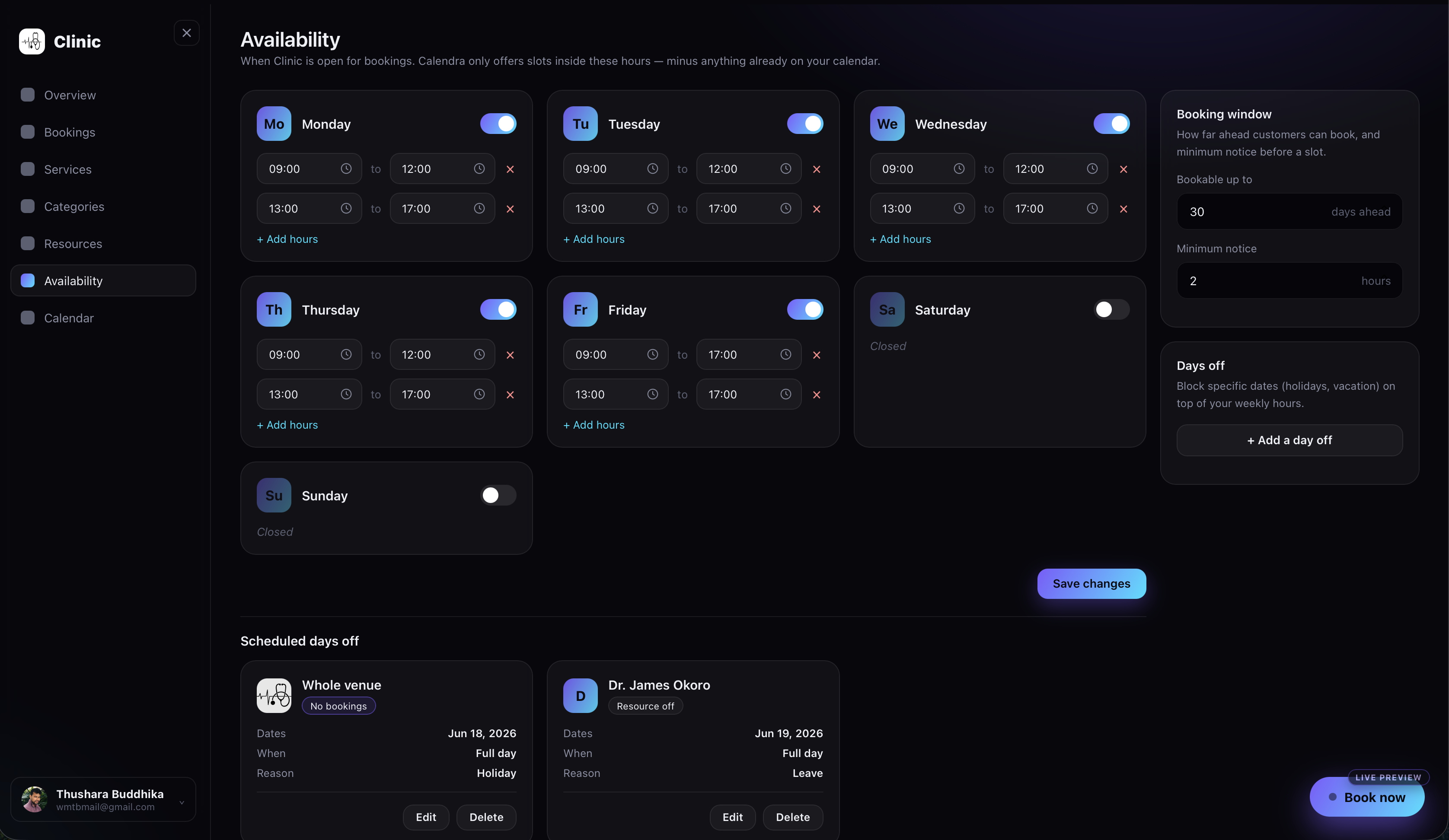
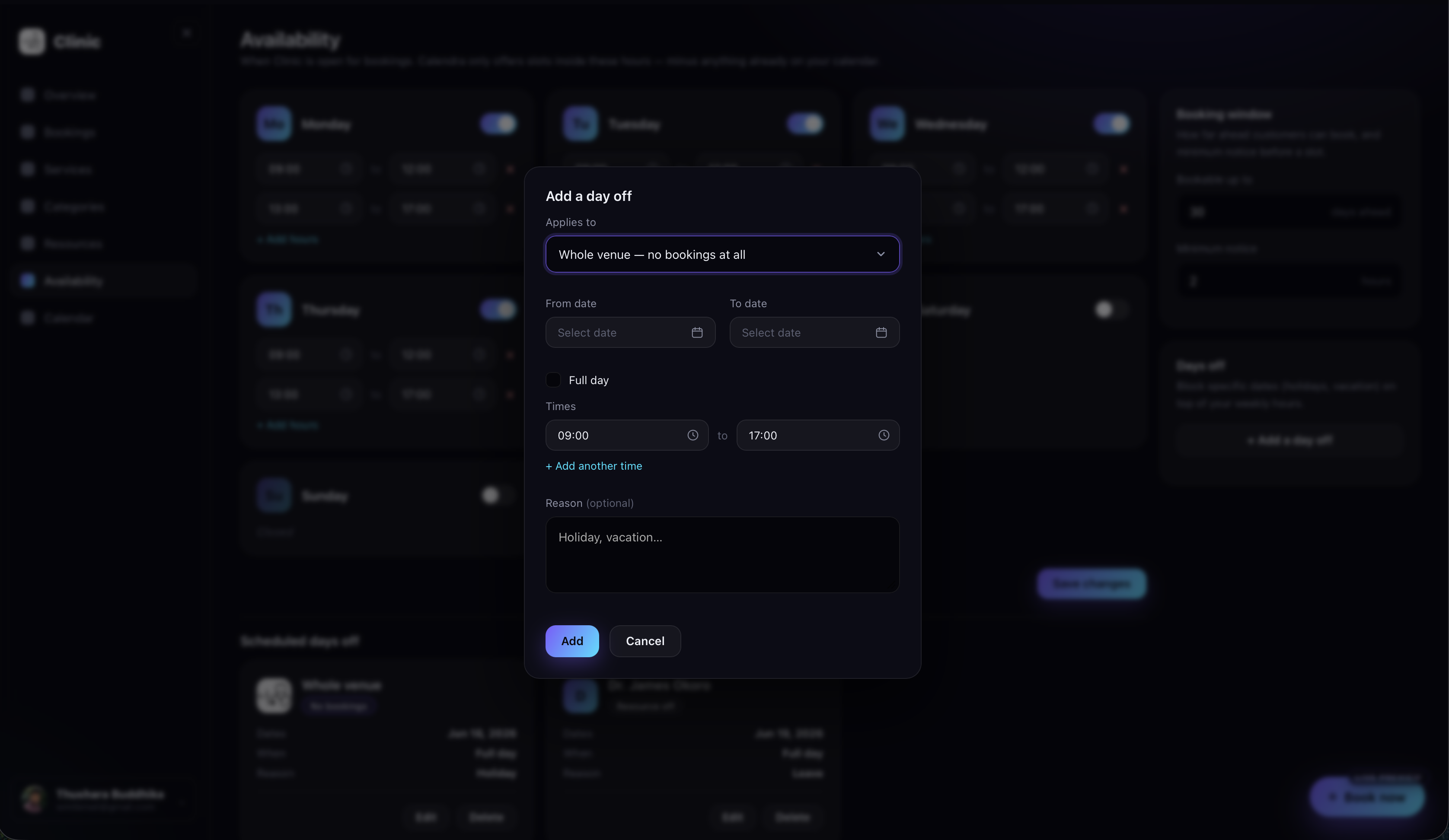
Define when each day is open for bookings, set how far ahead customers can book and the minimum notice you need, and block out specific dates for holidays or vacation — Calendra only ever offers slots inside these hours.
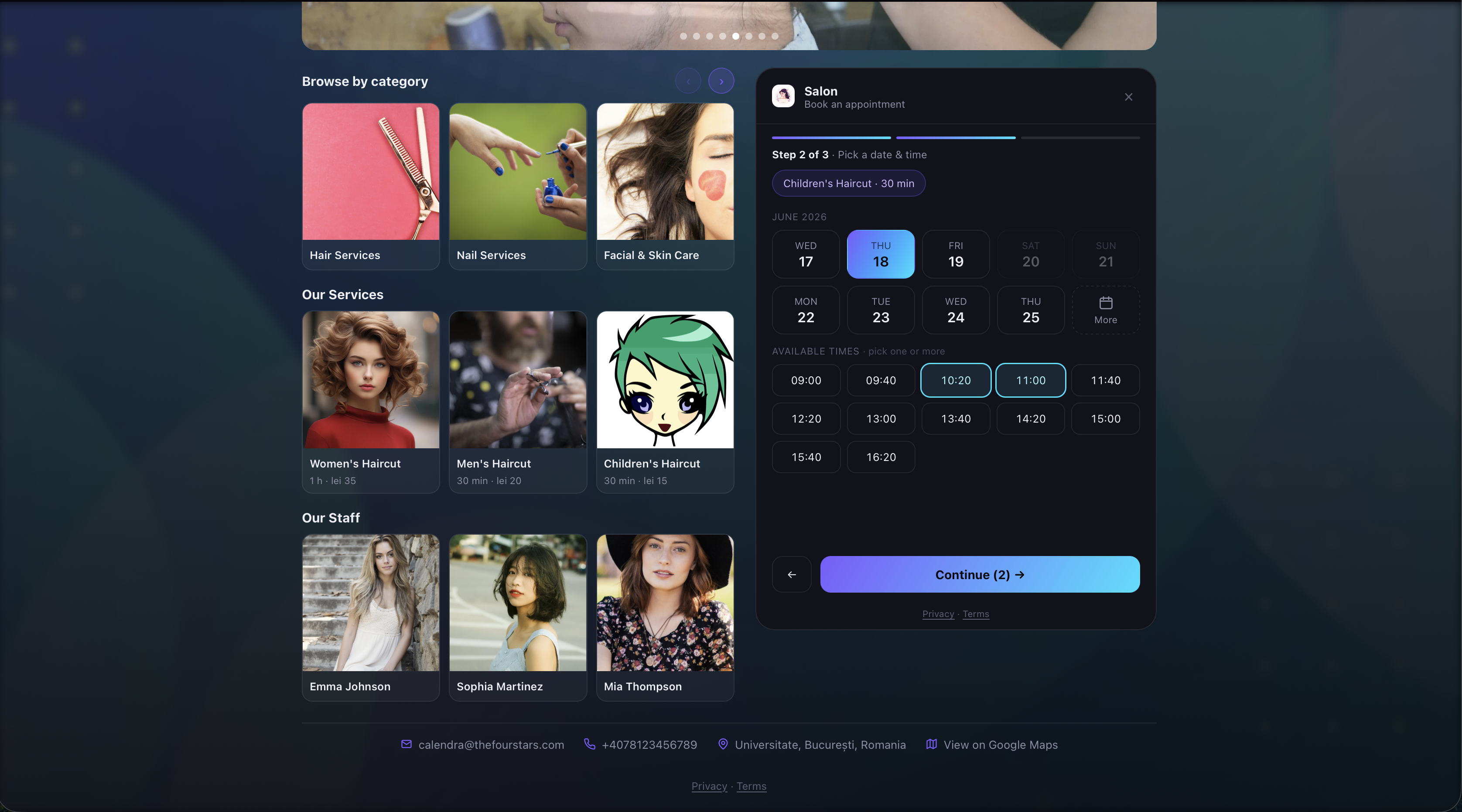
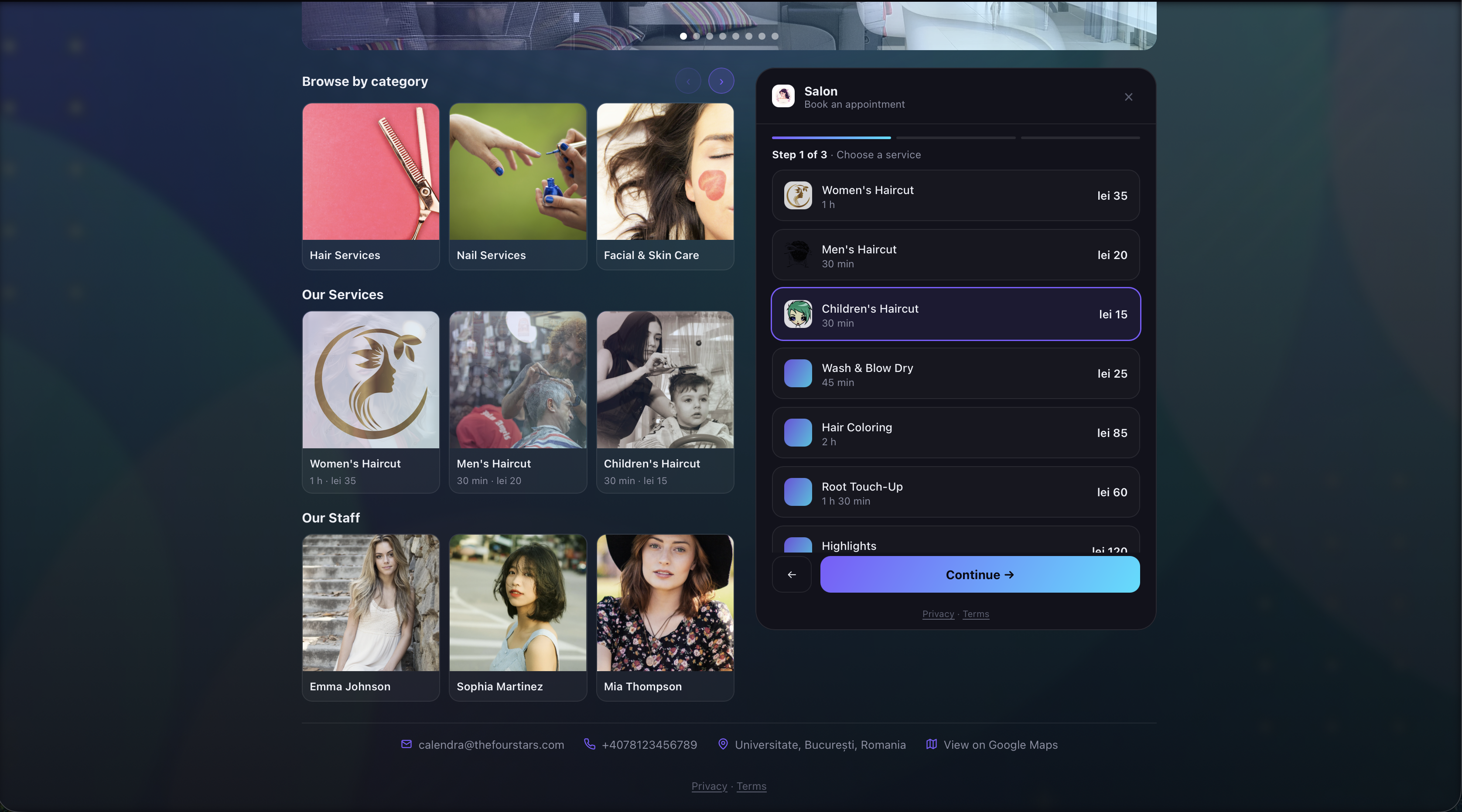
The Booking Widget
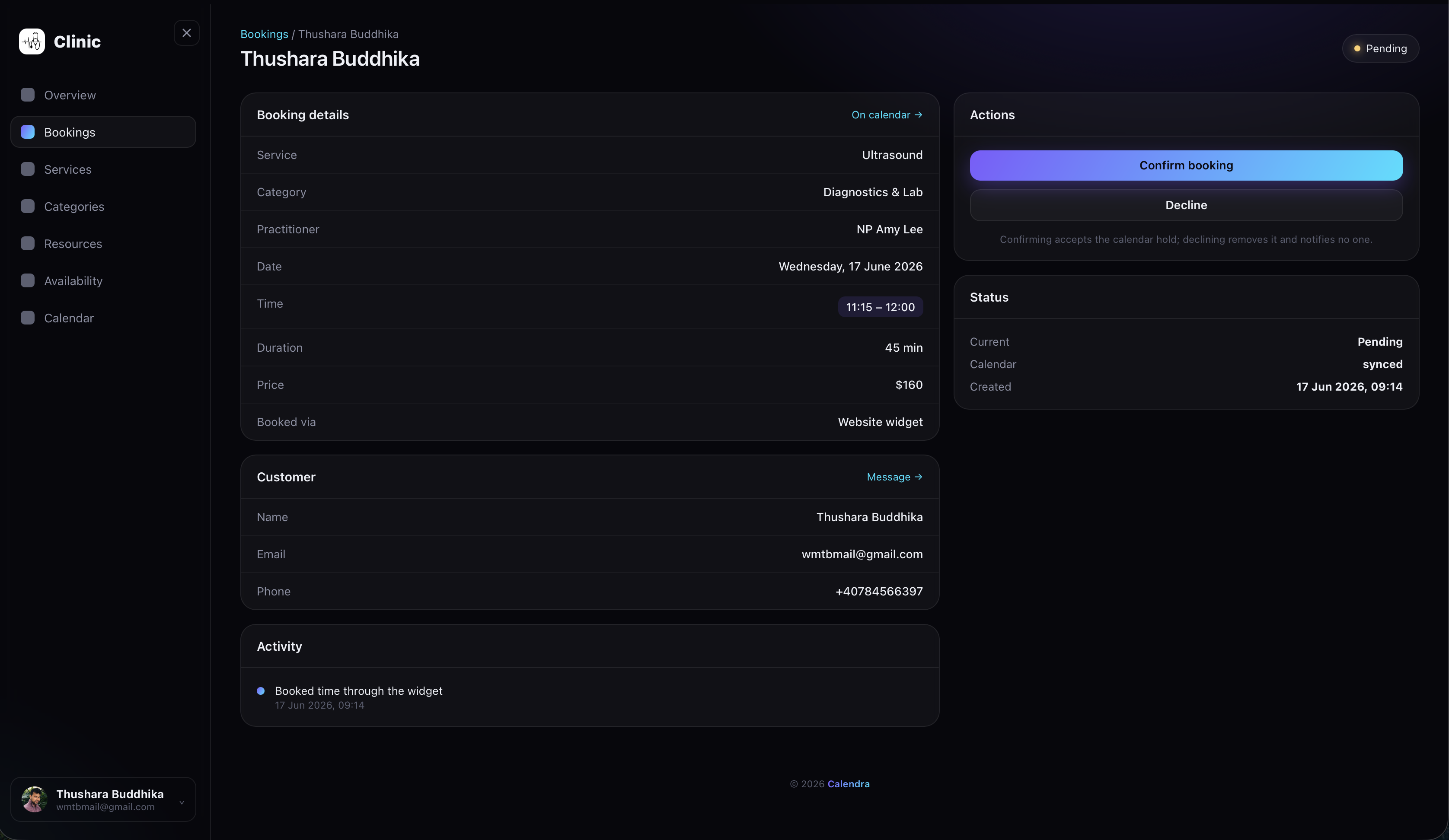
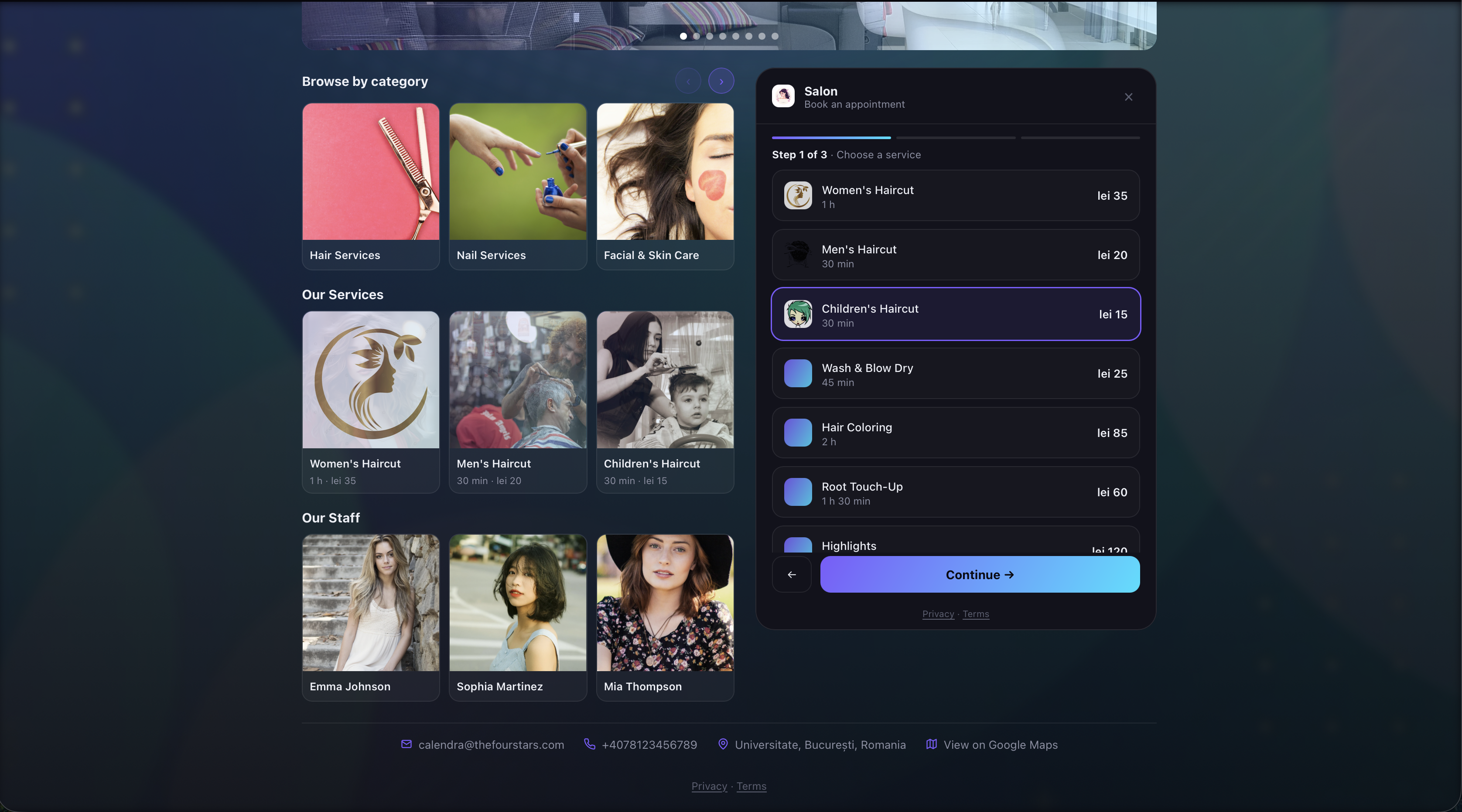
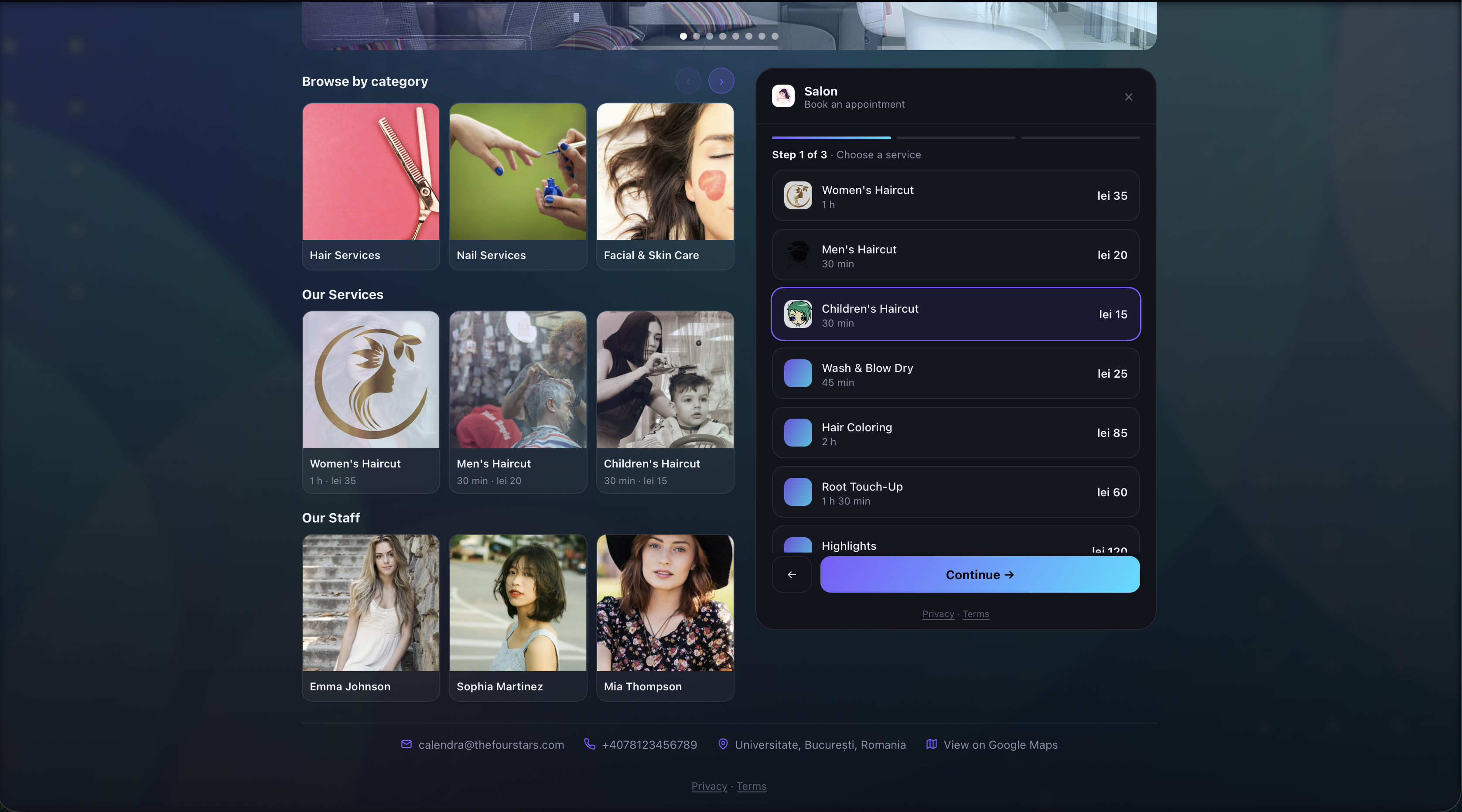
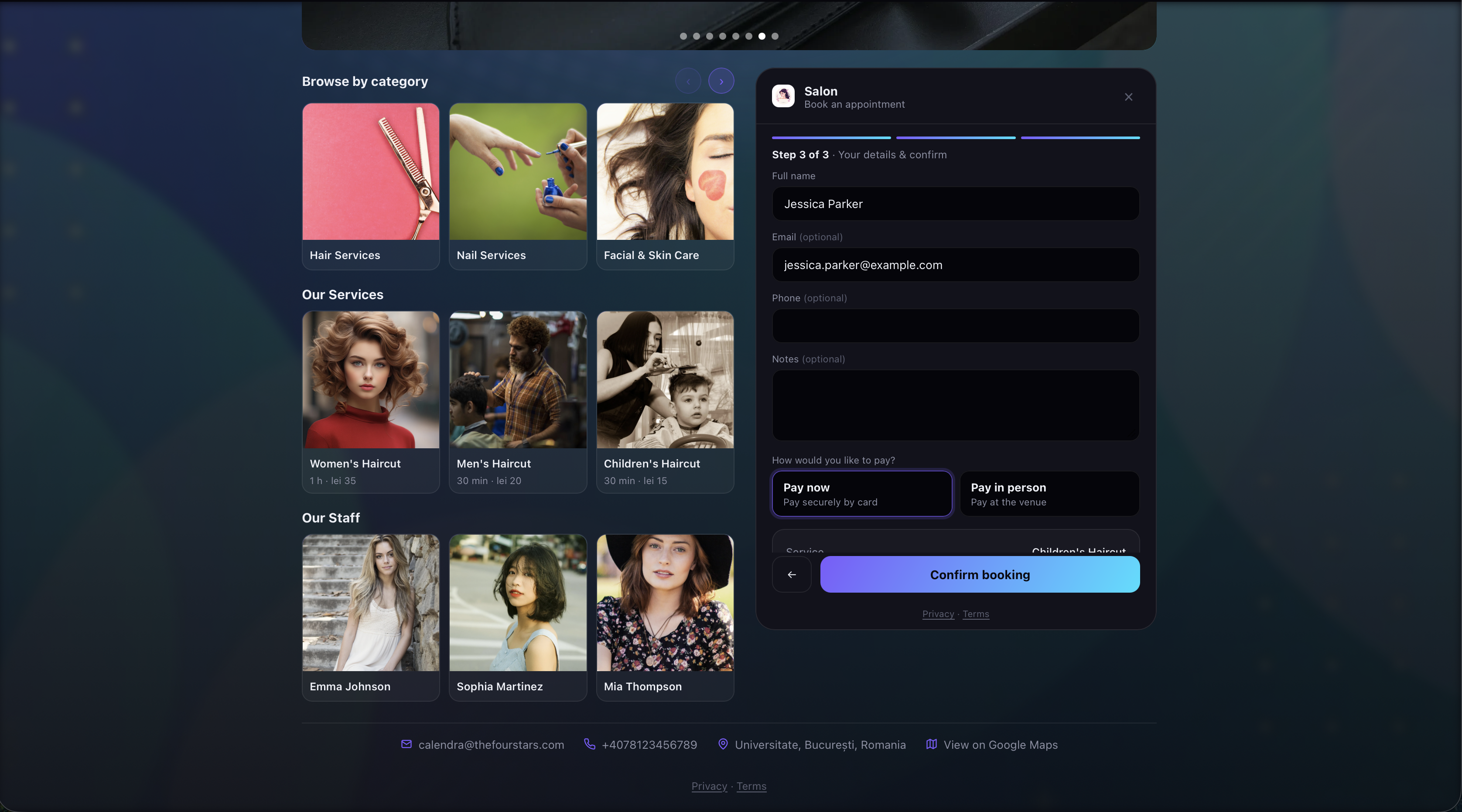
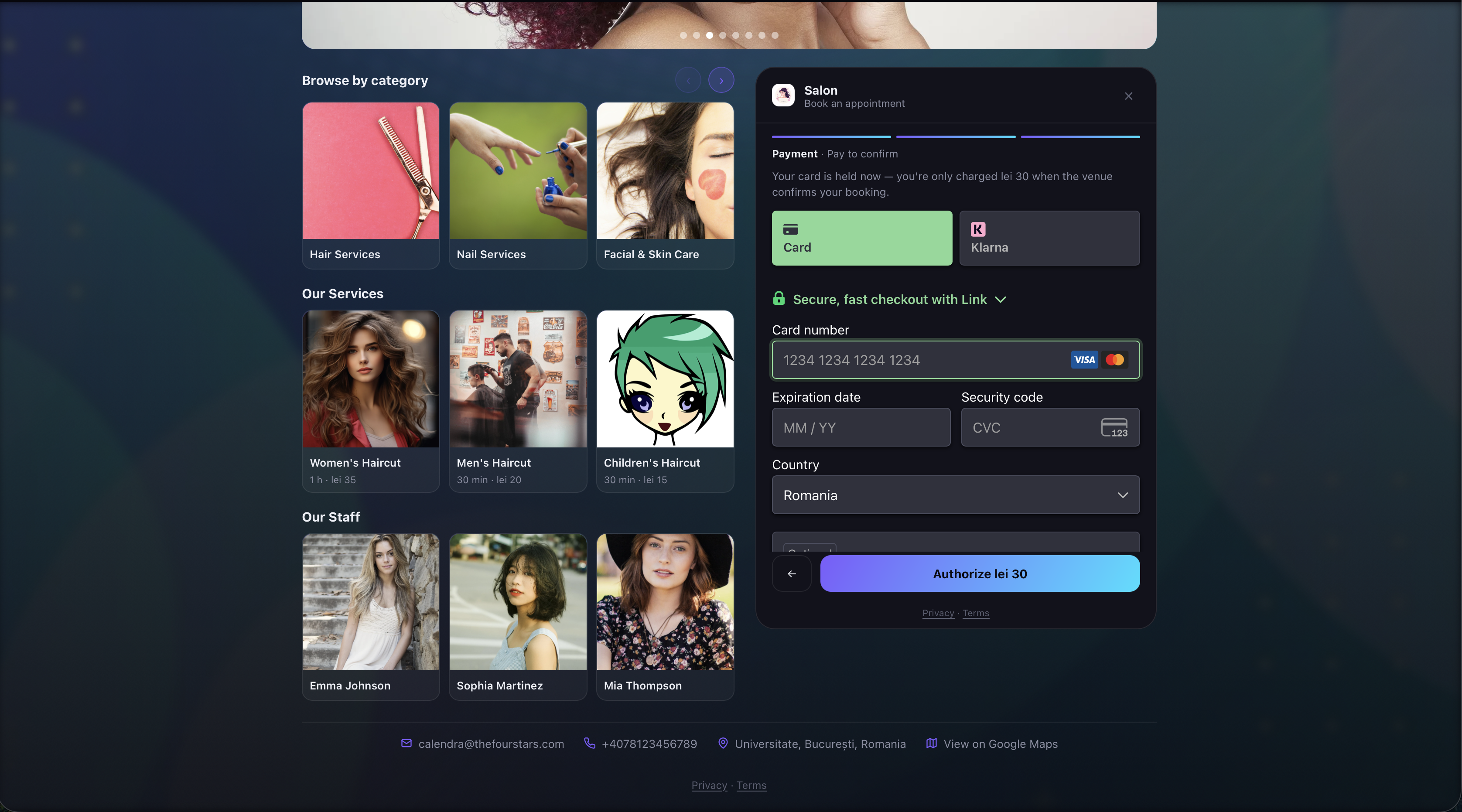
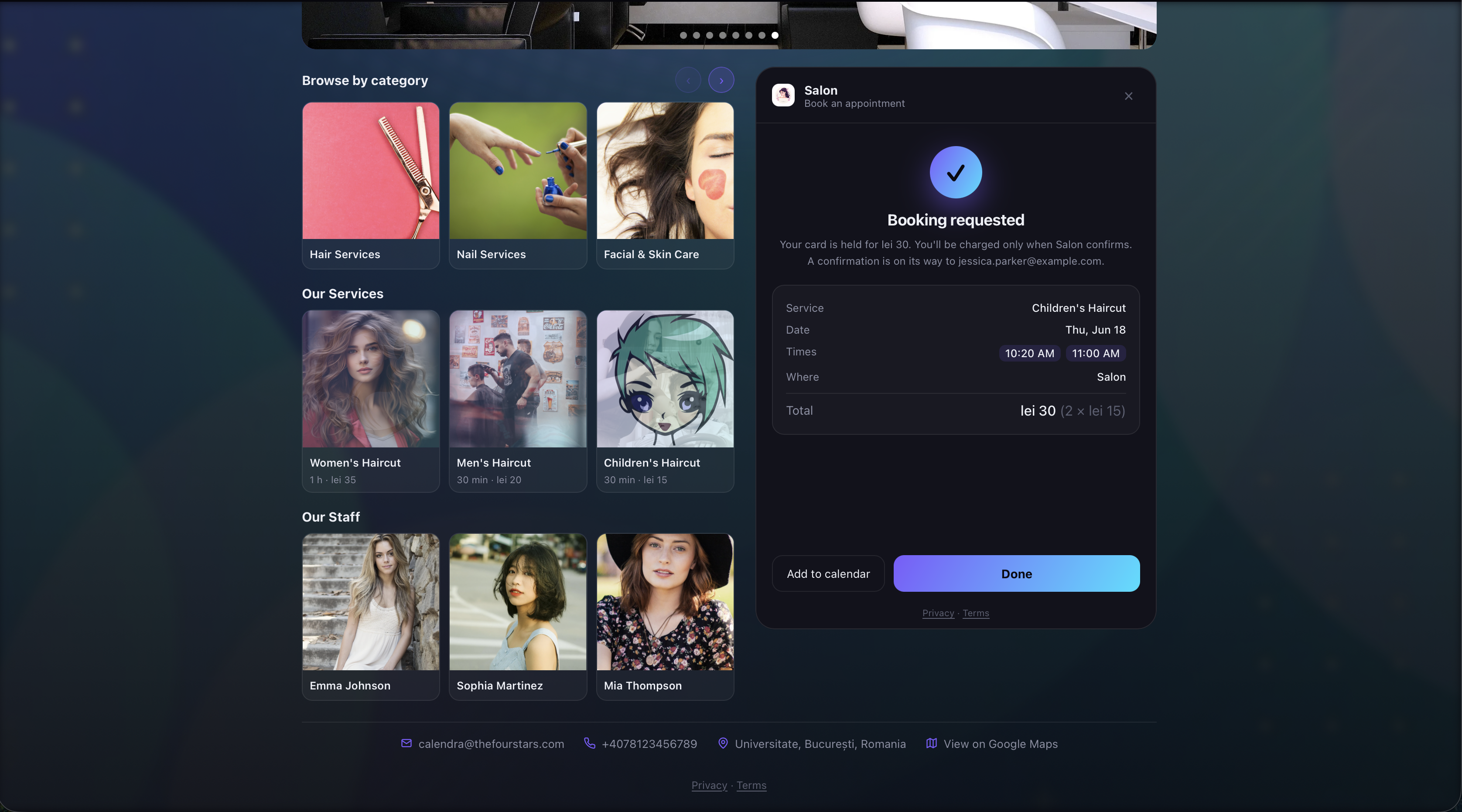
Customers book through a clean three-step flow right on your site: pick a service and staff or table, choose an open date and time, enter their details, and they're booked — with a confirmation on its way to their inbox. Want to see it for yourself? Hit the "Book now" button in the corner of this page to launch the live preview, and complete a test payment with Stripe's test card 4242 4242 4242 4242 — any future expiry (e.g. 12/34), any 3-digit CVC, and any postcode.
Bookings & Calendar
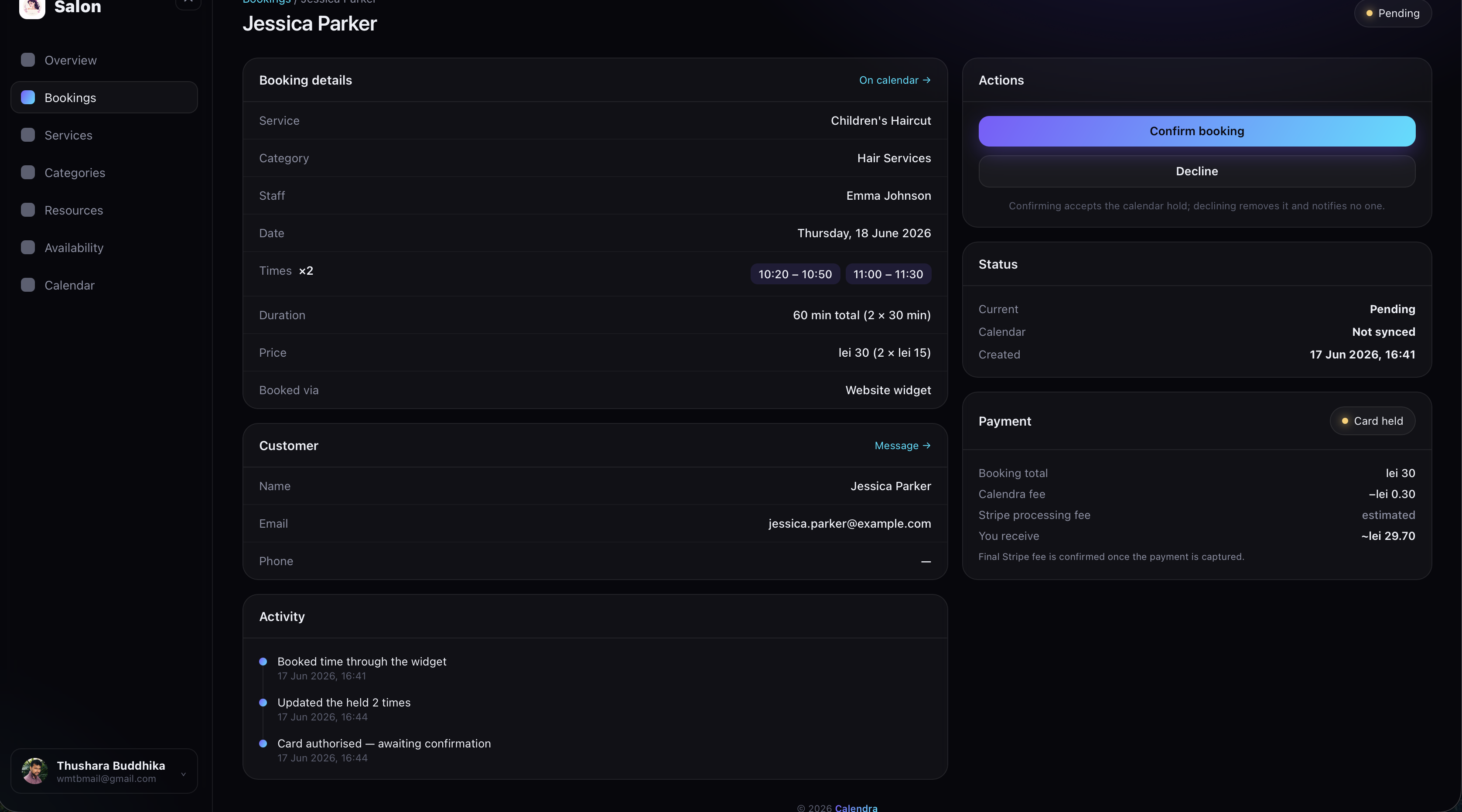
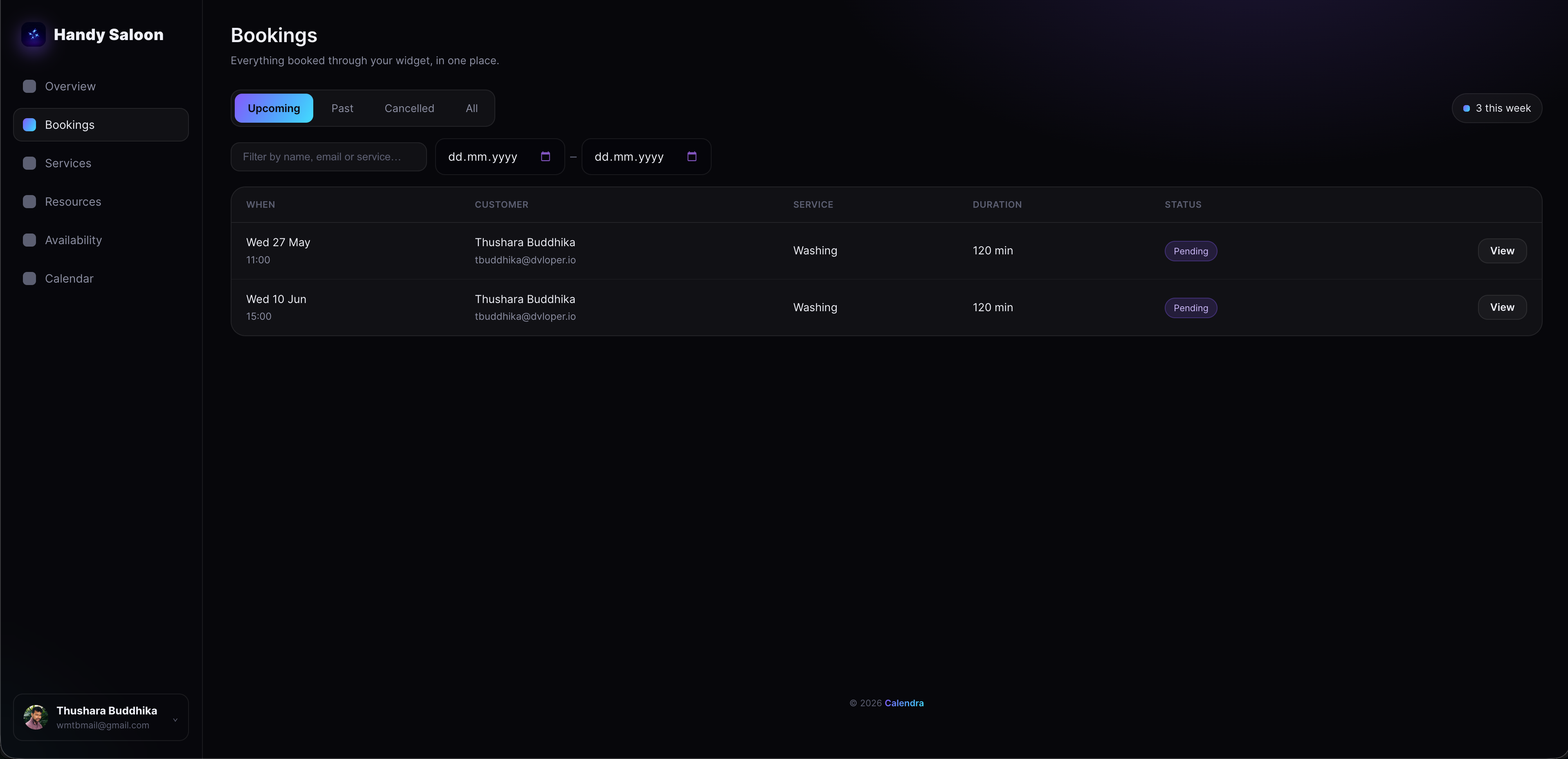
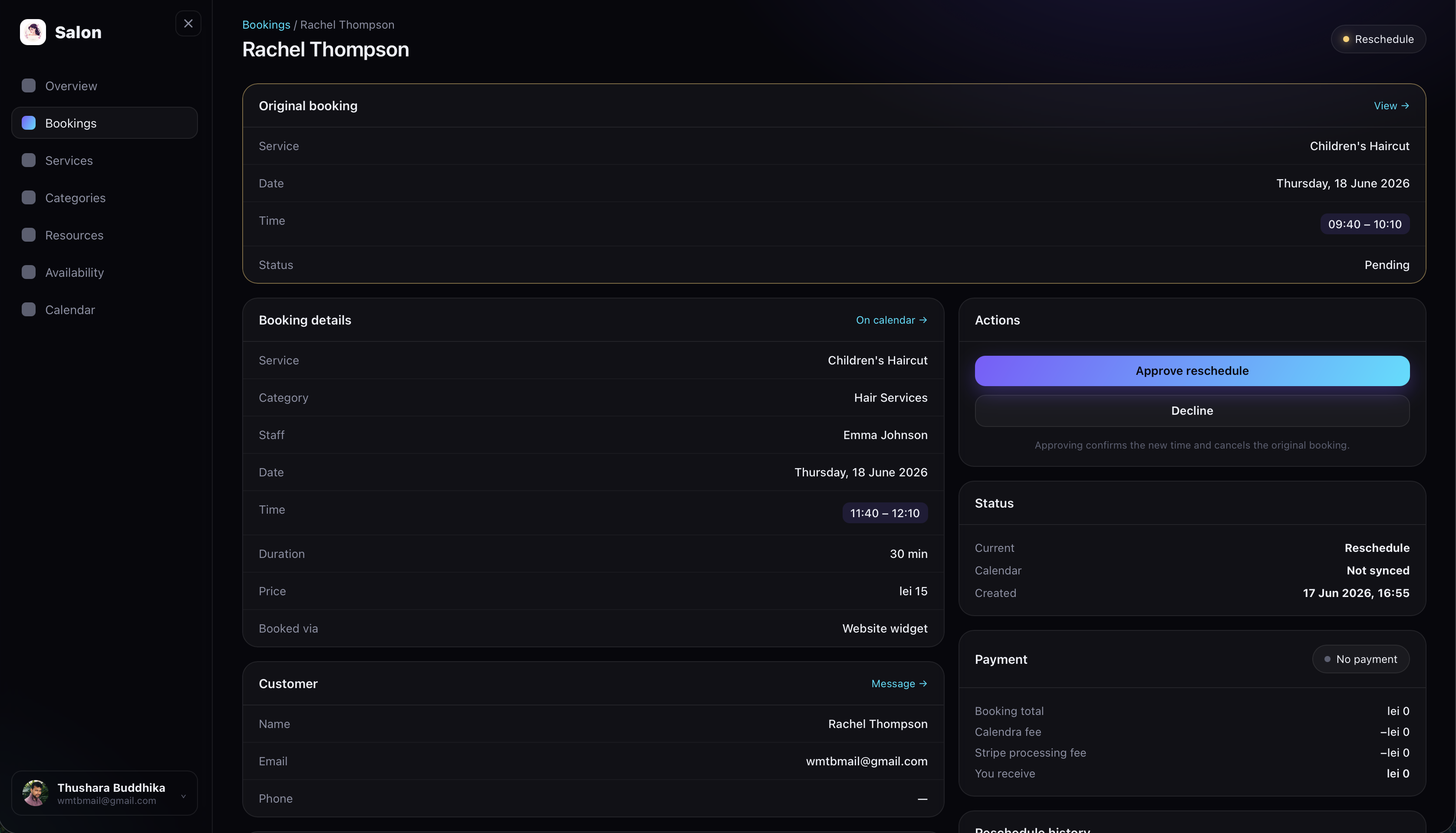
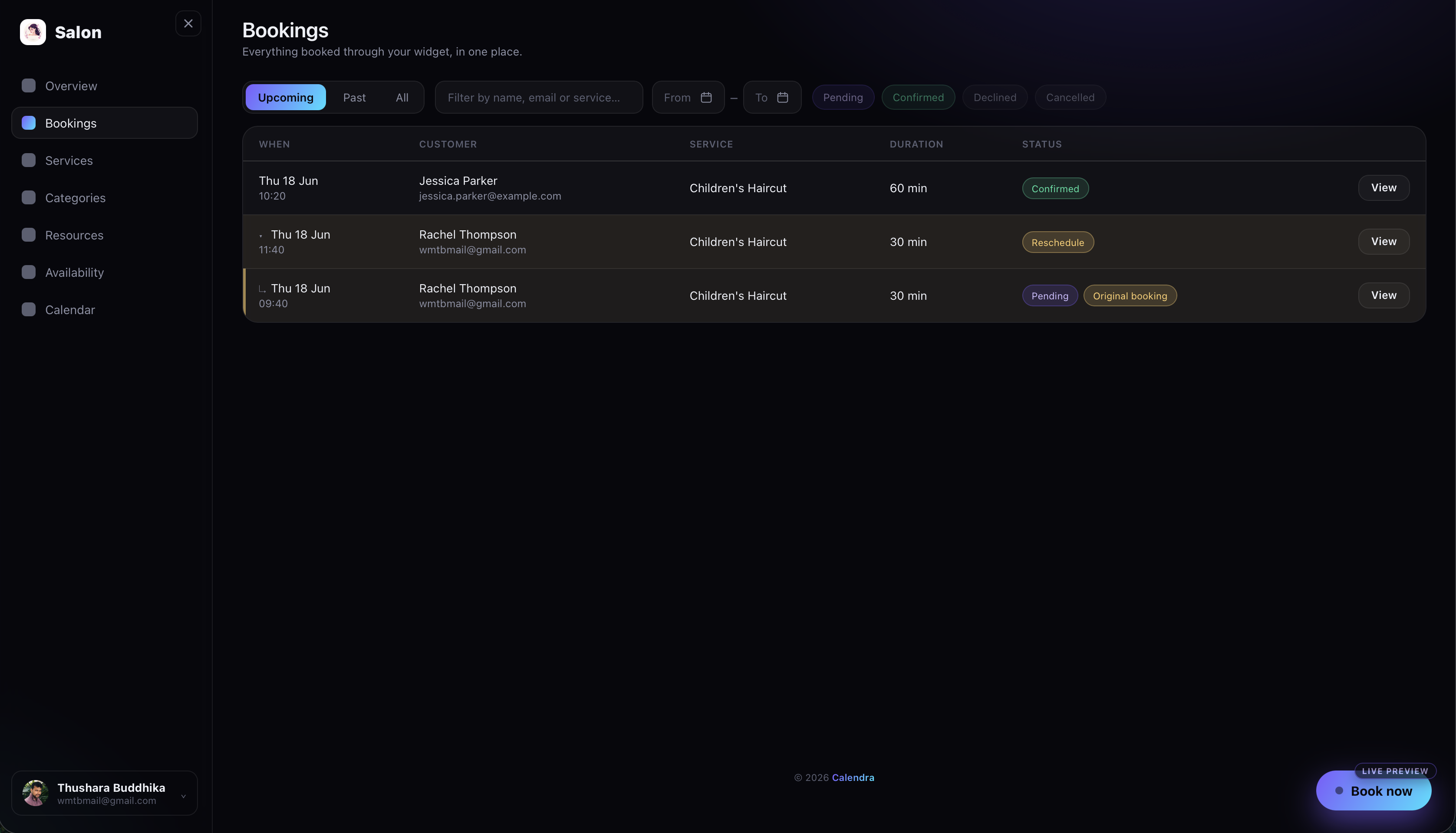
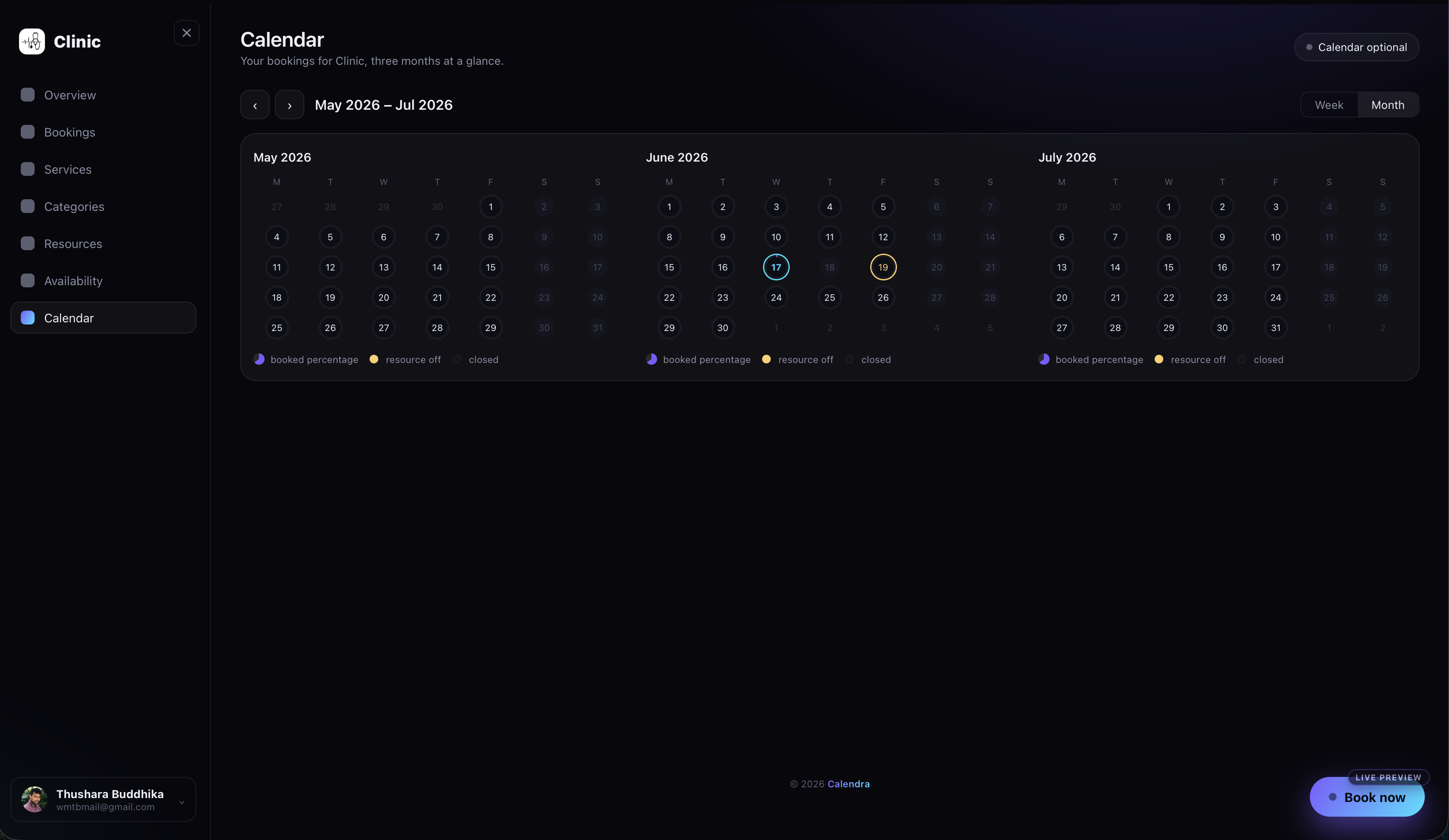
Every booking made through your widget lands in one place — filter by upcoming, past, or cancelled, and search by name, email, or service. The calendar view stays in sync with Google Calendar, so your Calendra bookings sit right alongside everything else.
Reschedule, Cancel & Refund
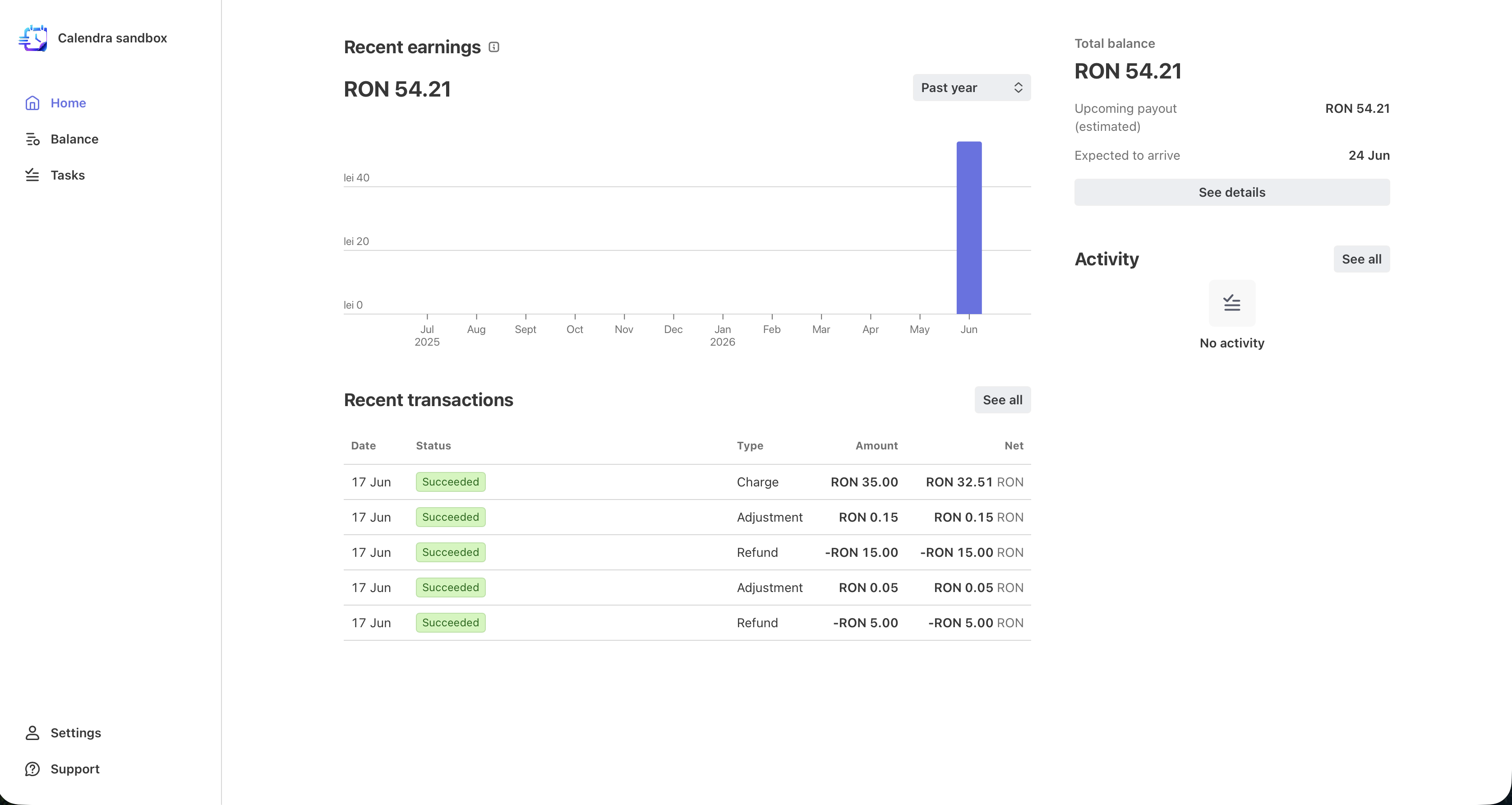
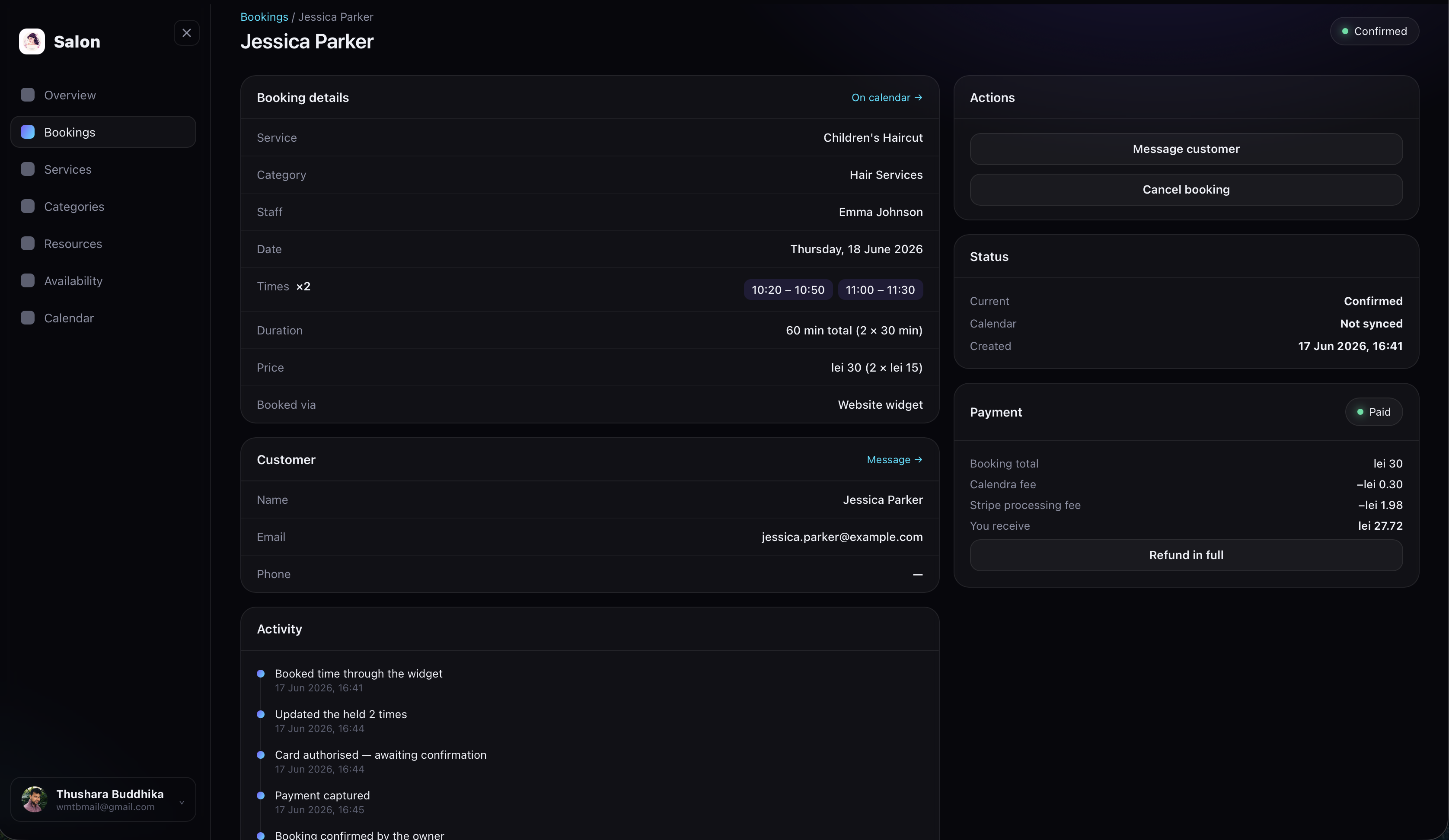
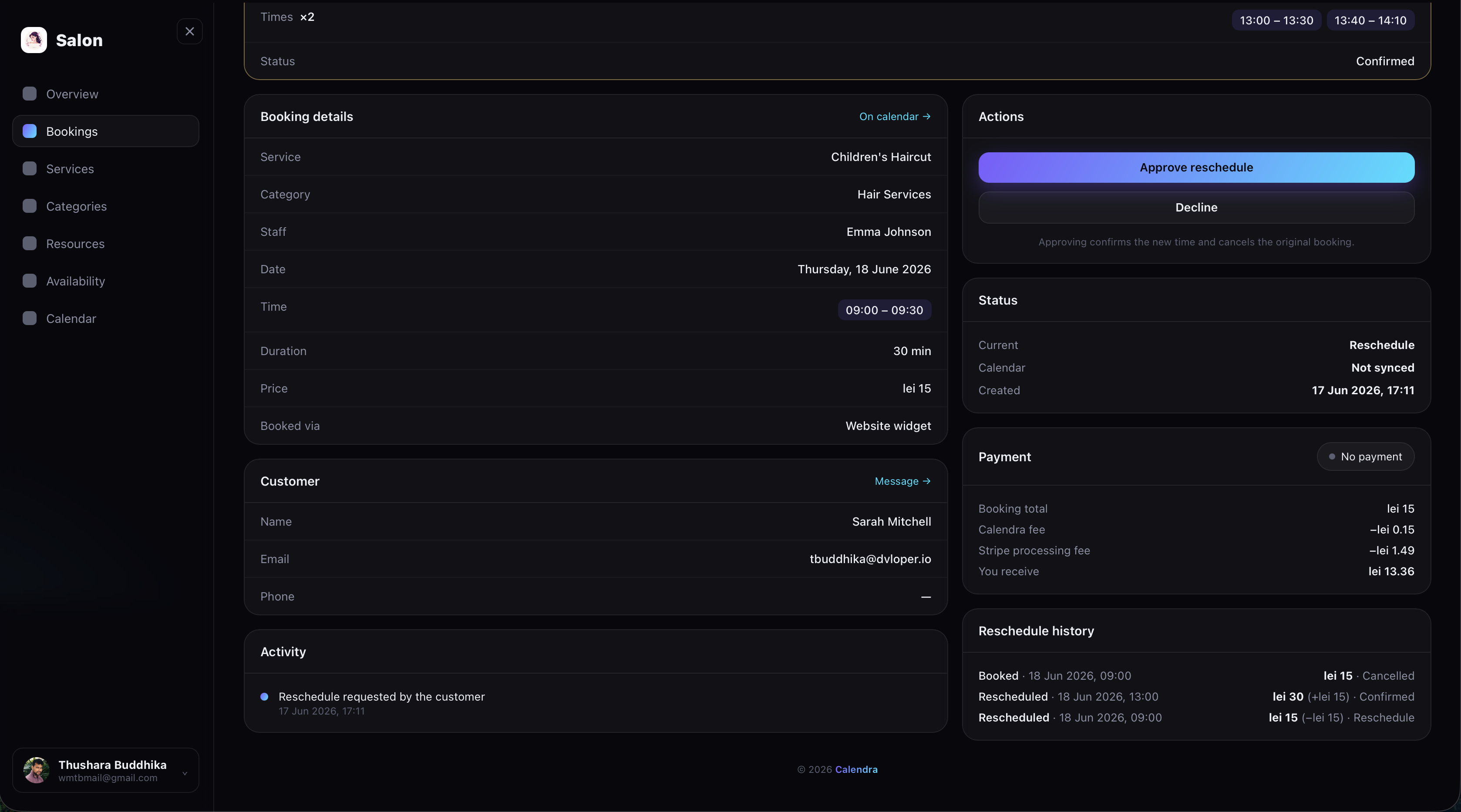
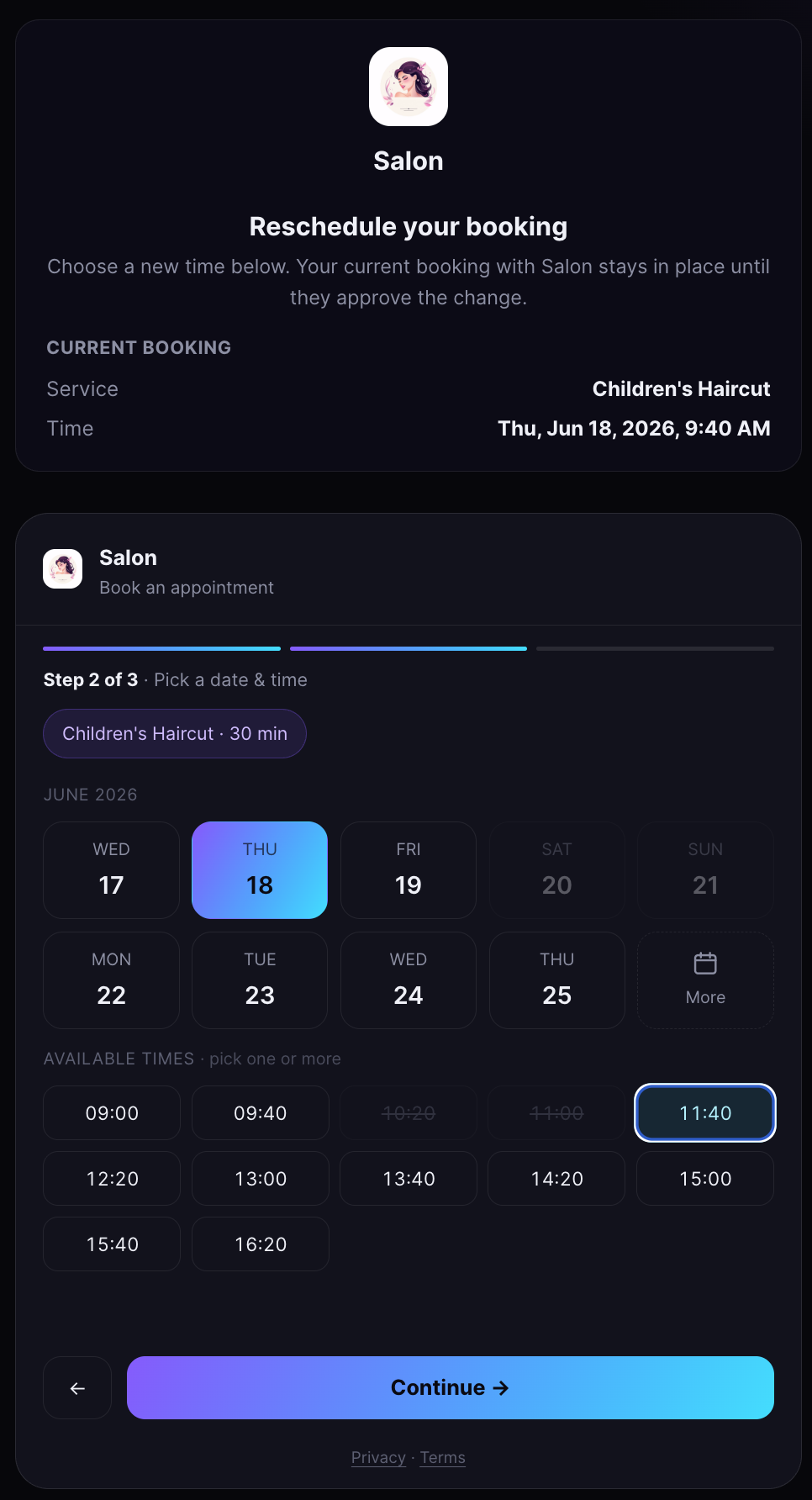
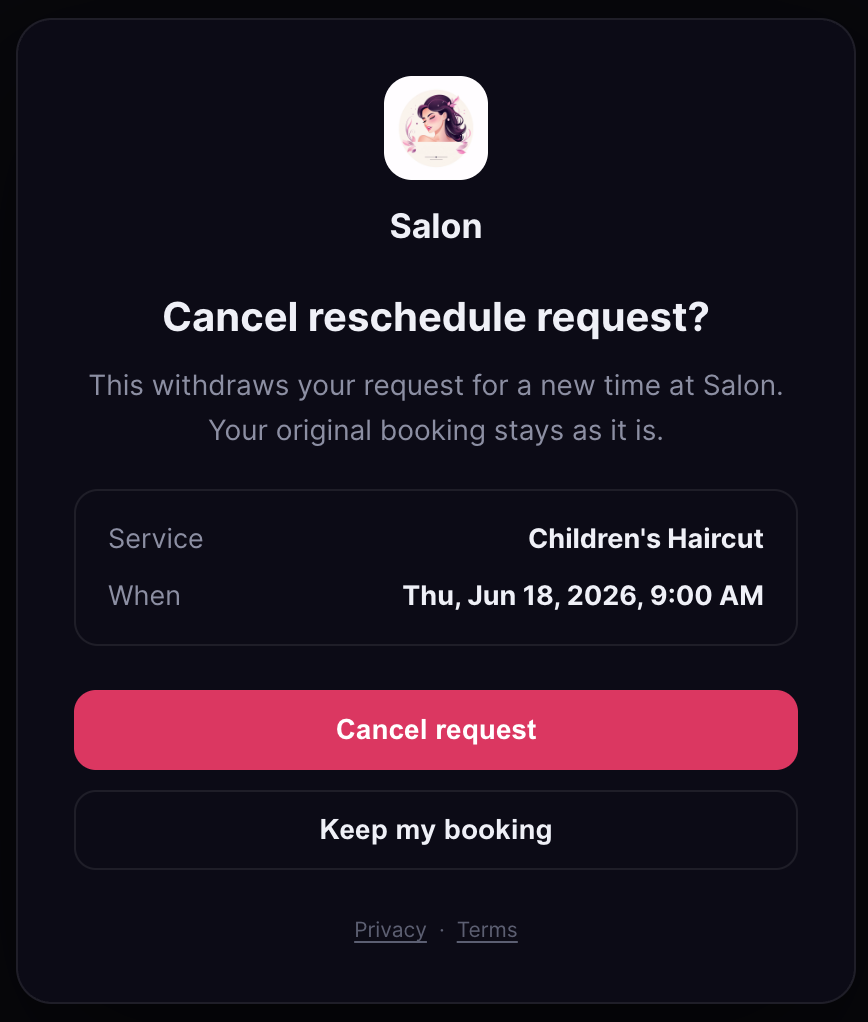
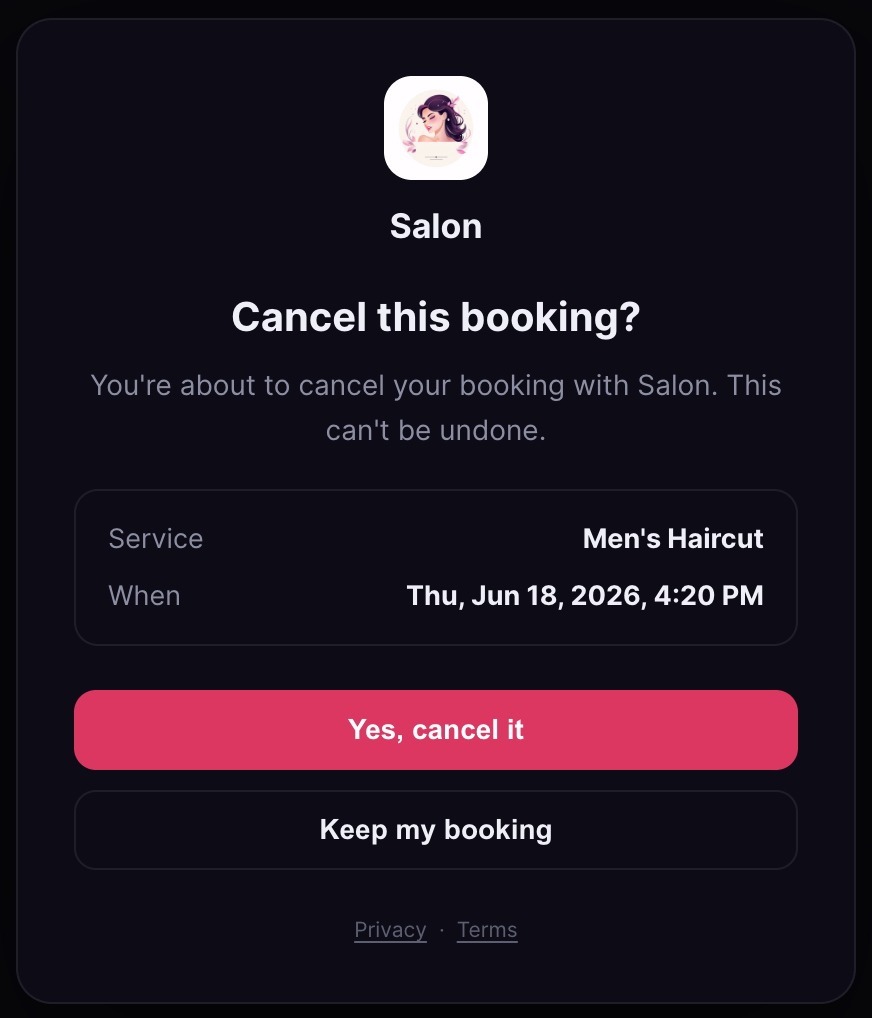
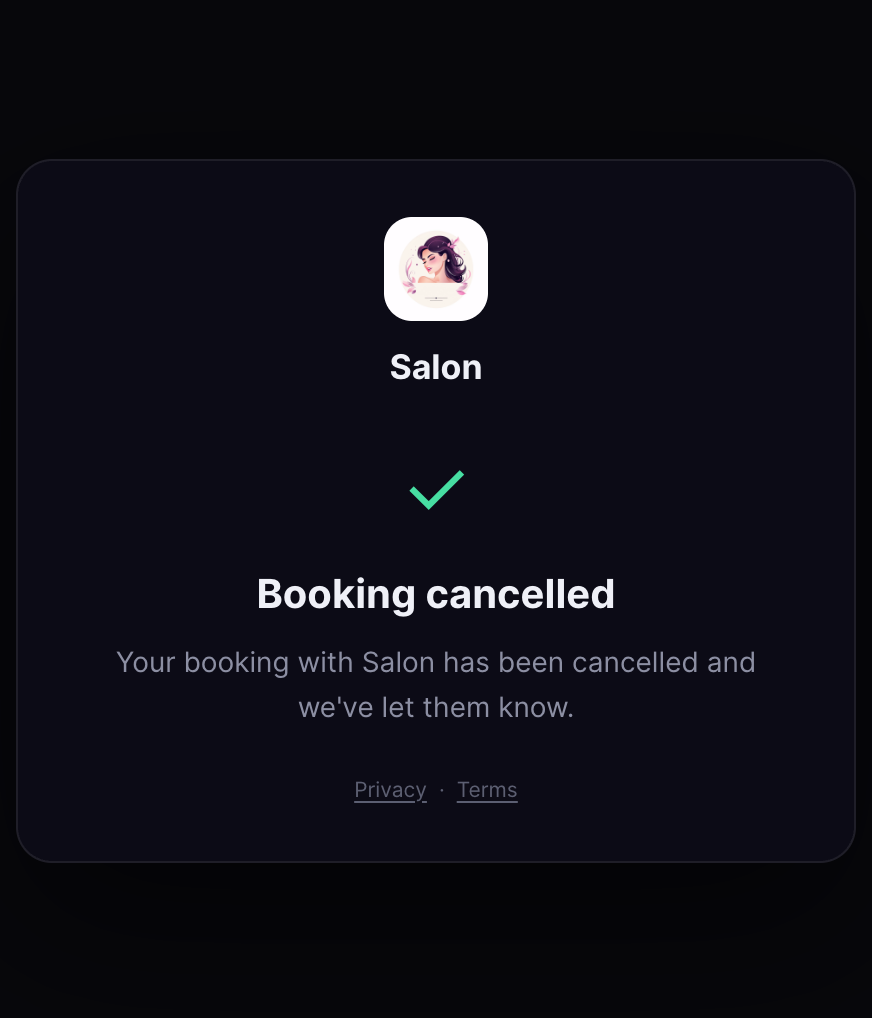
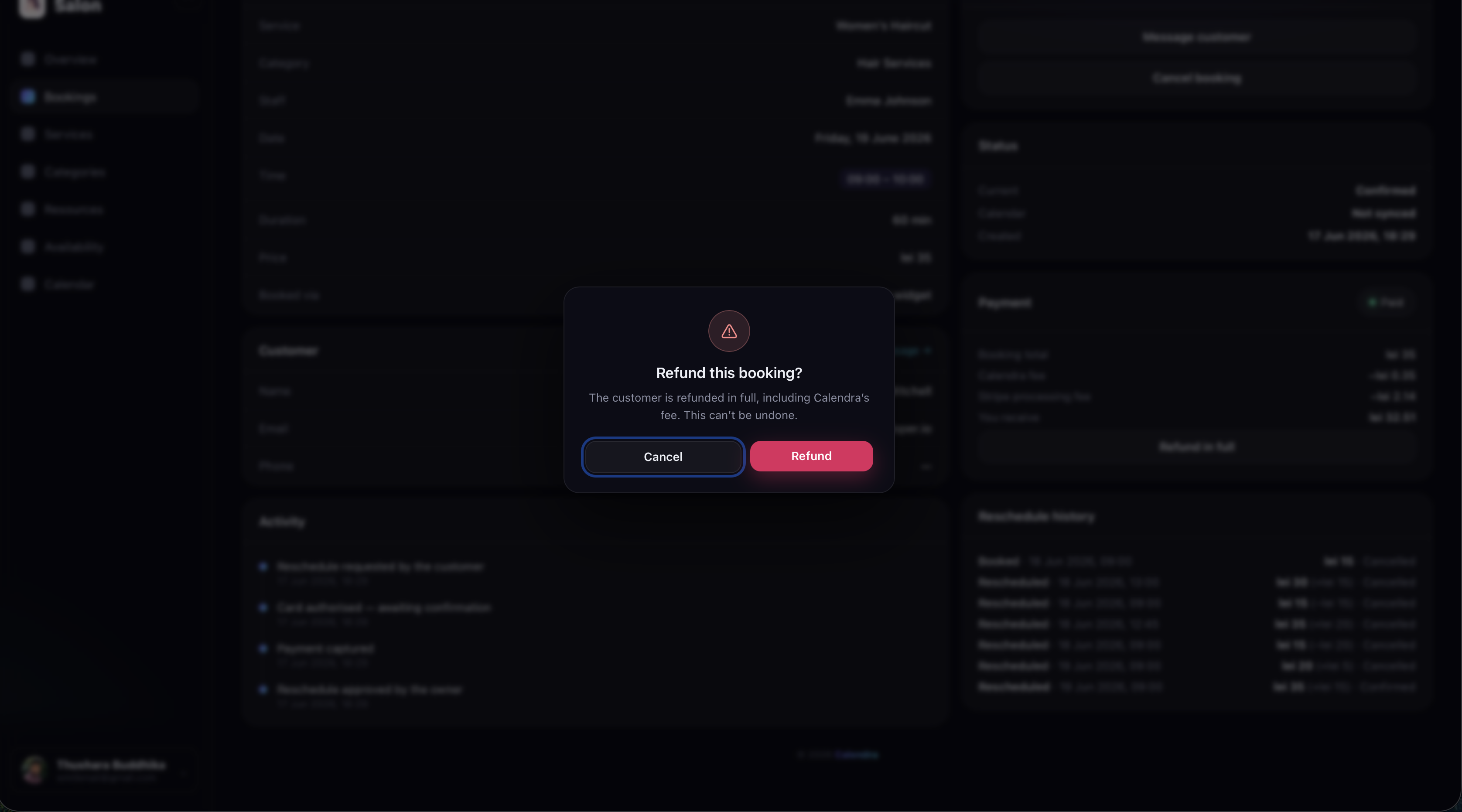
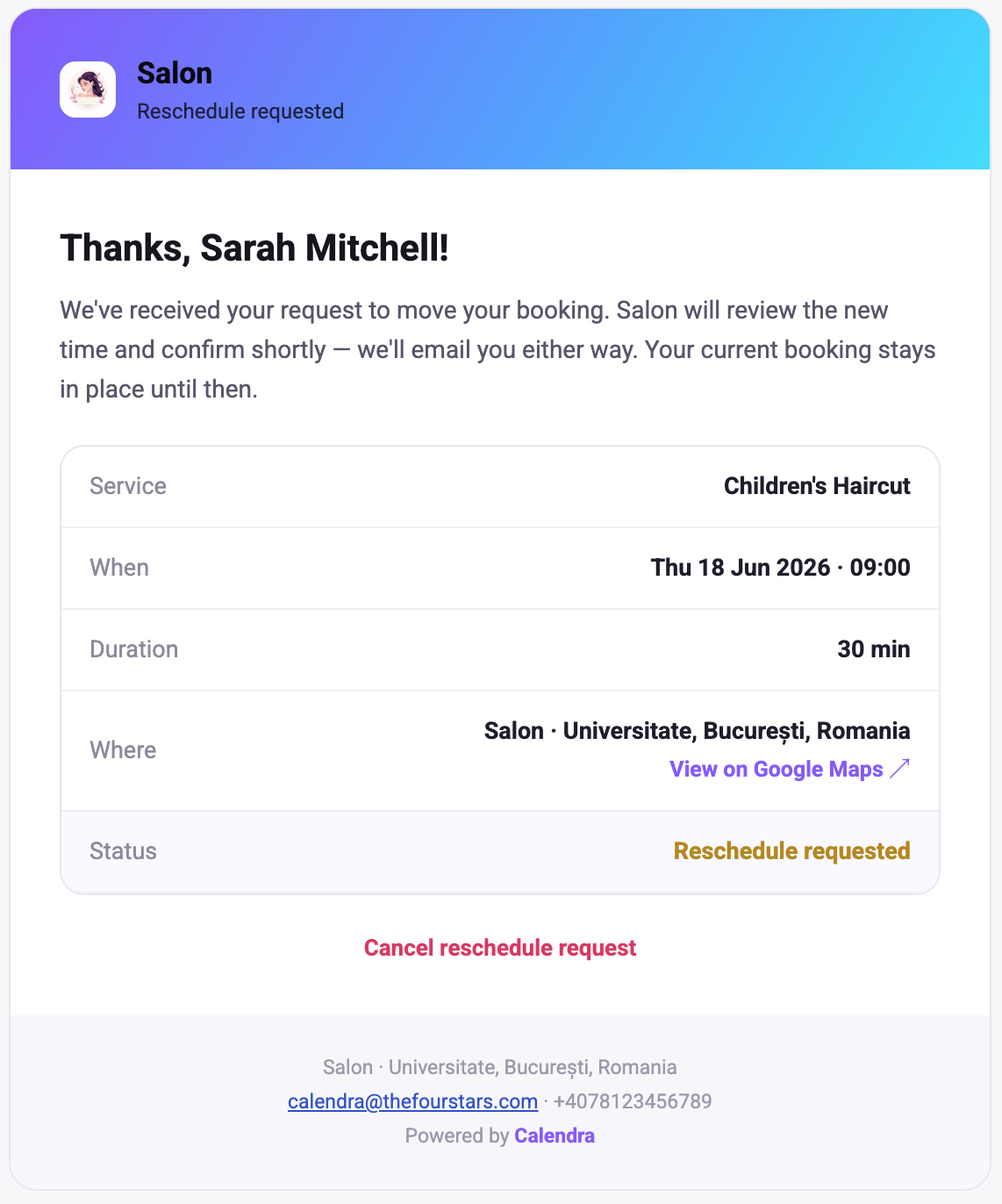
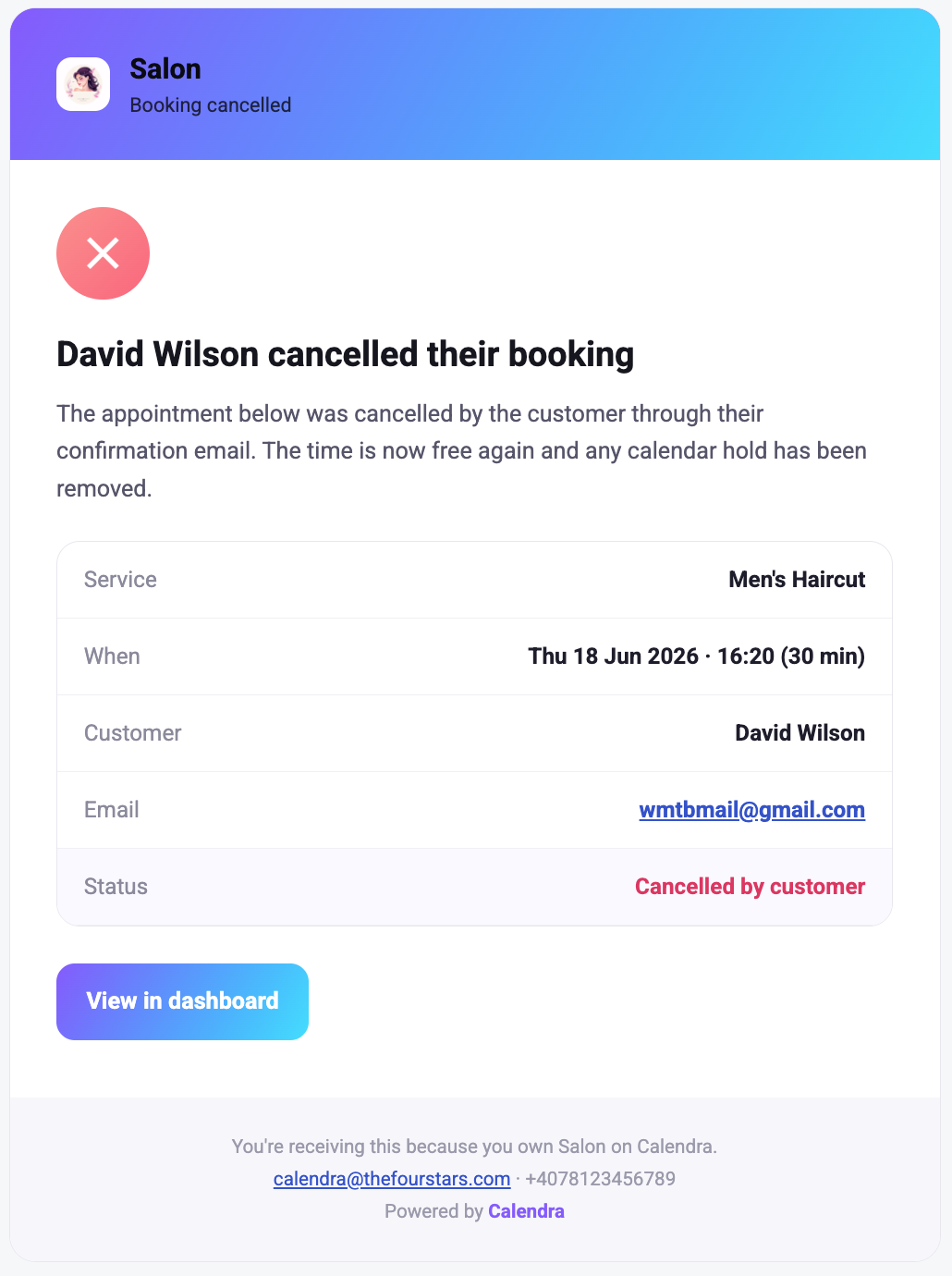
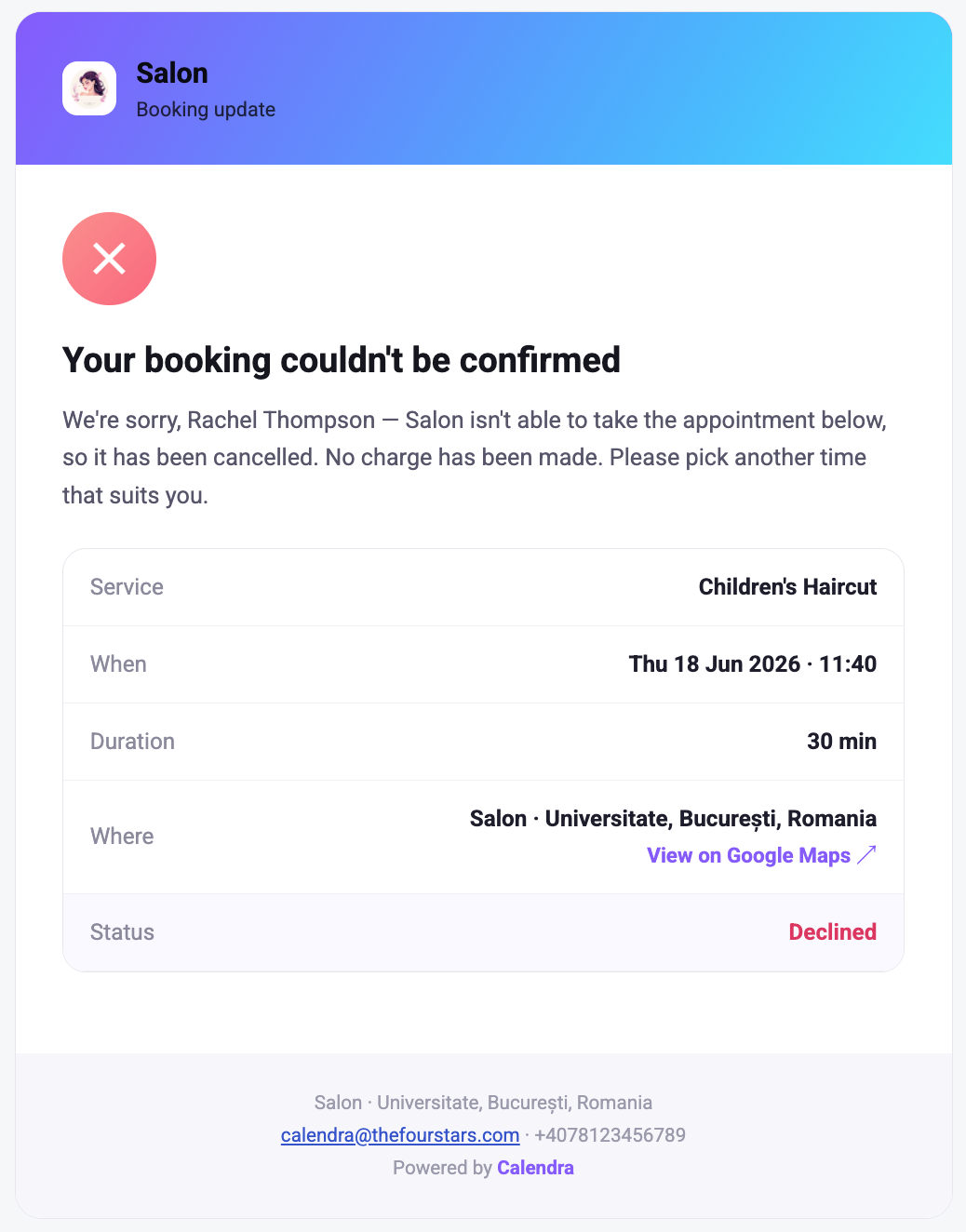
Plans change, and Calendra handles it without the back-and-forth. Move a booking to a new slot, cancel when you need to, and issue refunds straight through Stripe in a tap — customers are kept in the loop automatically at every step. Your earnings stay clear too, with a Stripe-powered dashboard showing what you've taken and what's been paid out.
Email Notifications
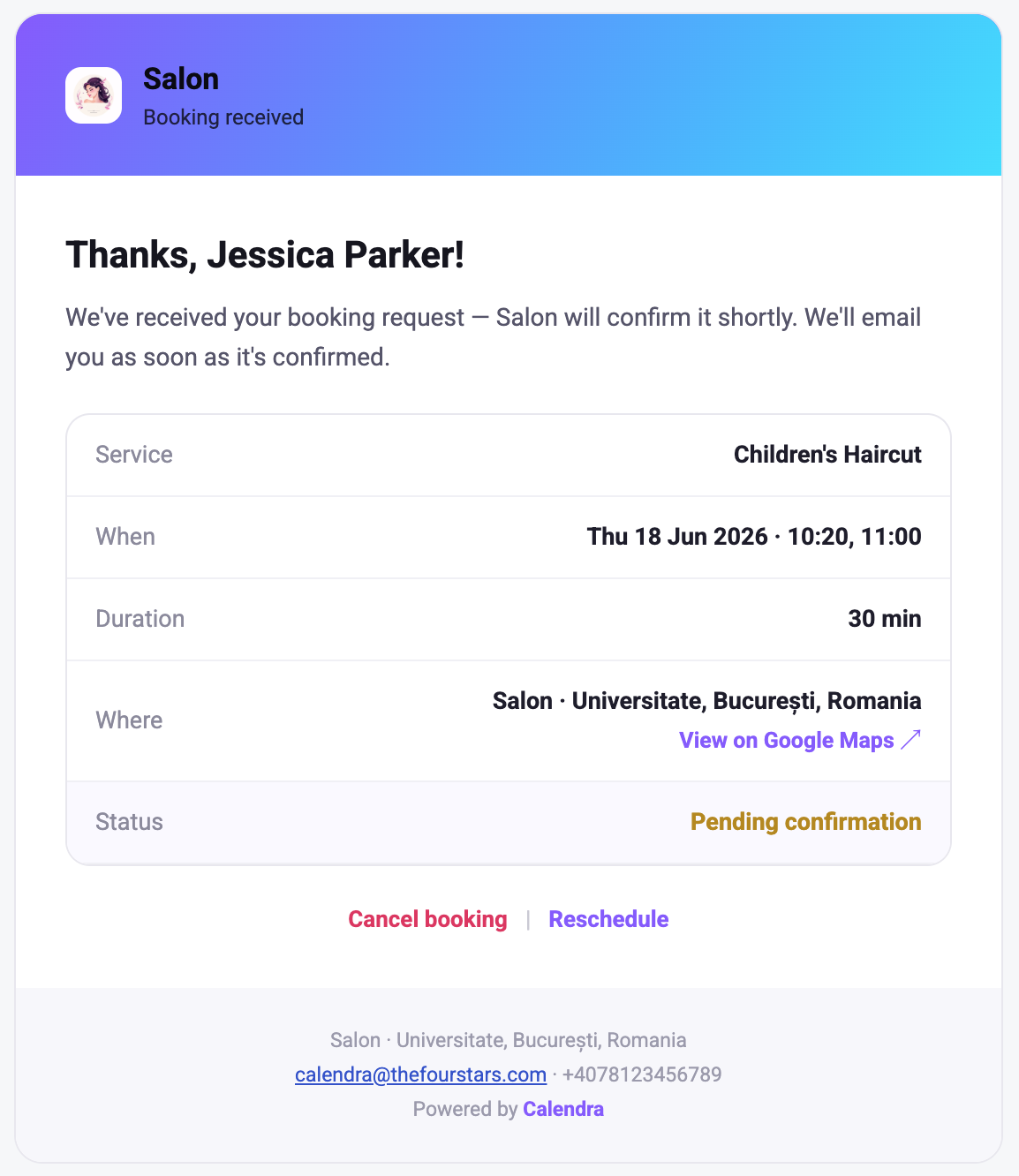
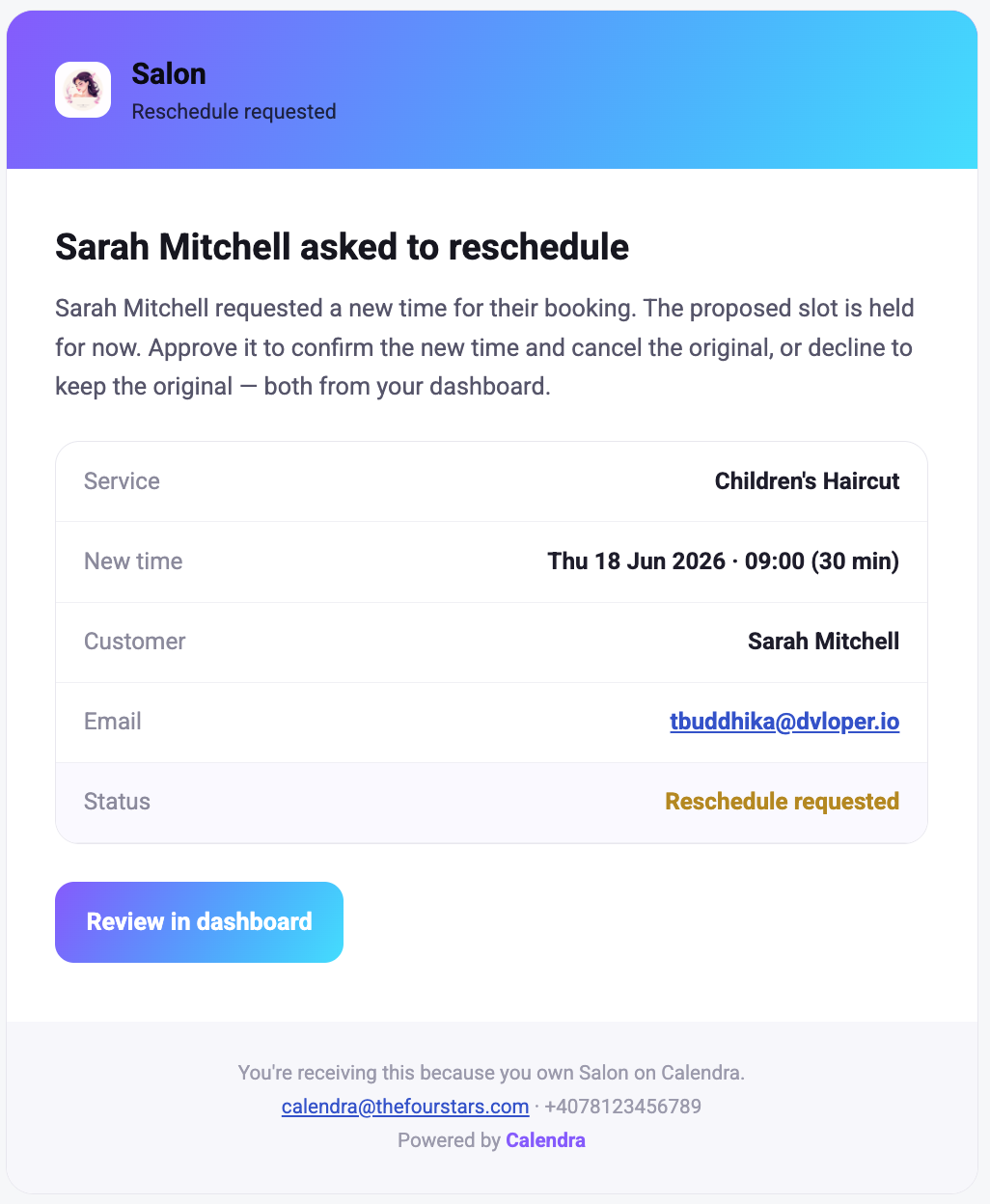
Everyone stays in the loop automatically. Customers get an email when they book, confirm, reschedule, or cancel, and you're notified the moment a new booking comes in or needs your attention. Branded, clear, and sent without you lifting a finger — with SMS notifications coming soon.
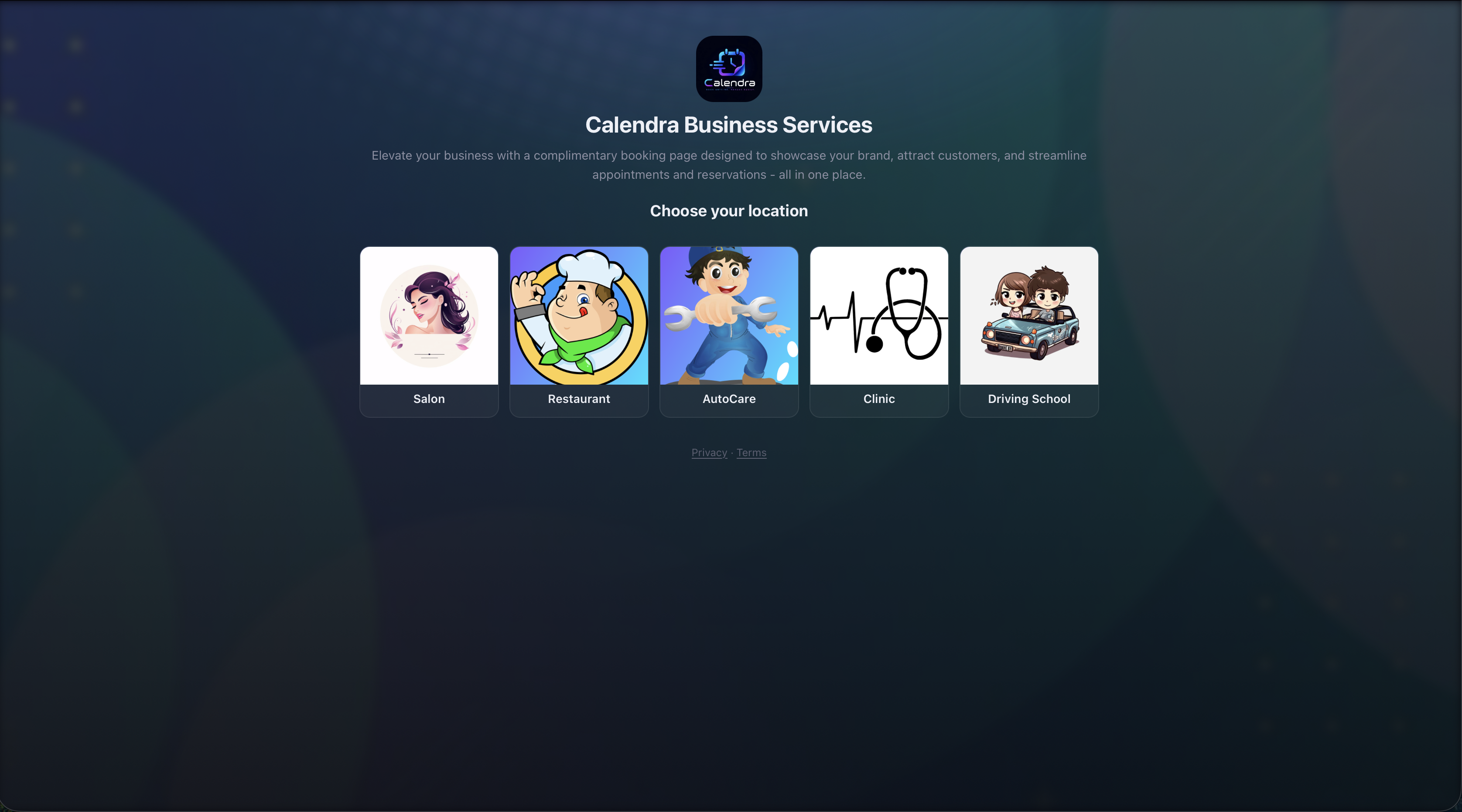
One Account, Many Venues
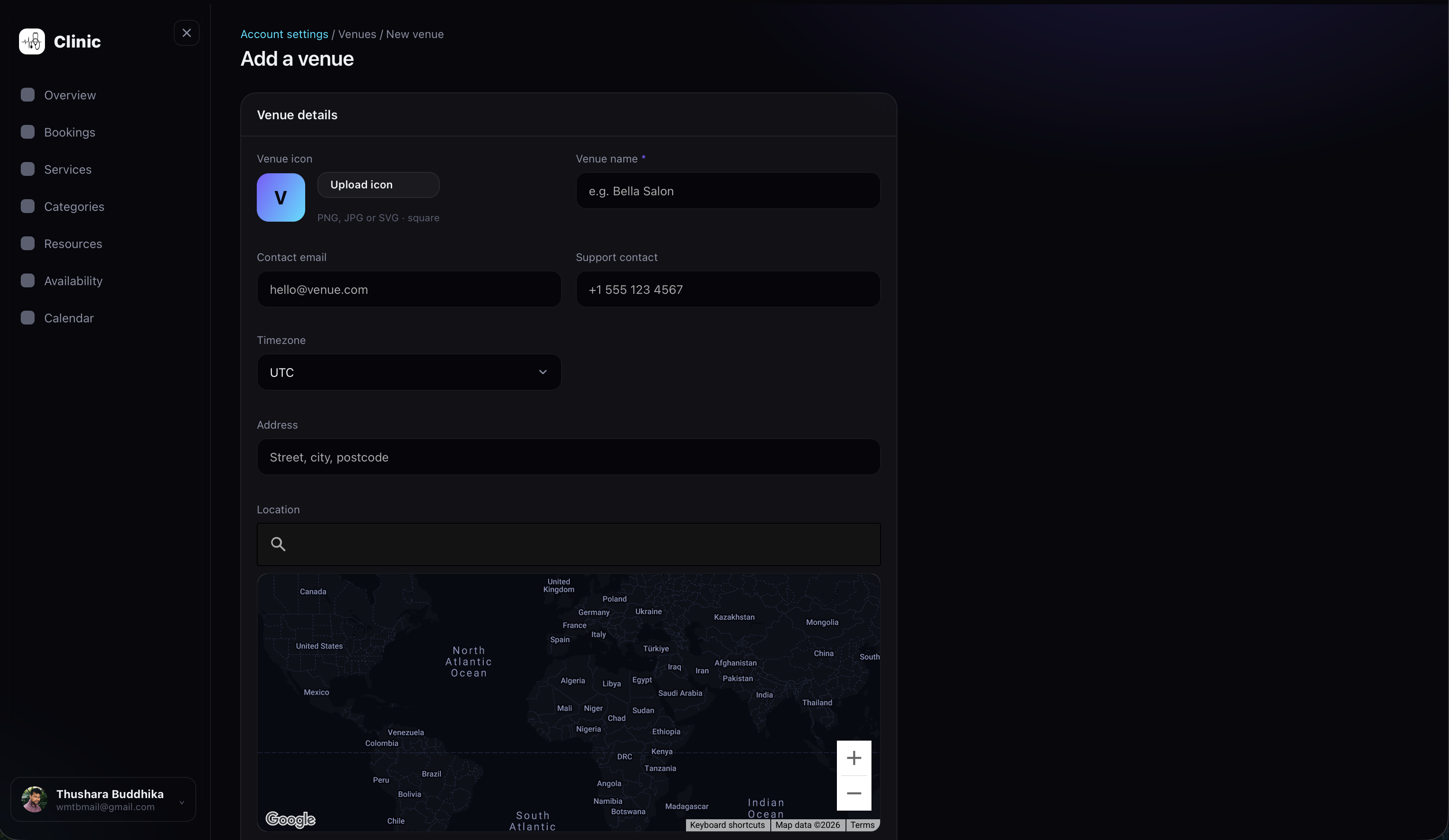
Run several businesses from a single login. Add venues from account settings, switch between them in a tap, and give each one a dedicated booking widget with its own language and currency. Share a free Calendra-hosted page that lists your venues and lets customers book — no website required.
Your Free Business Page
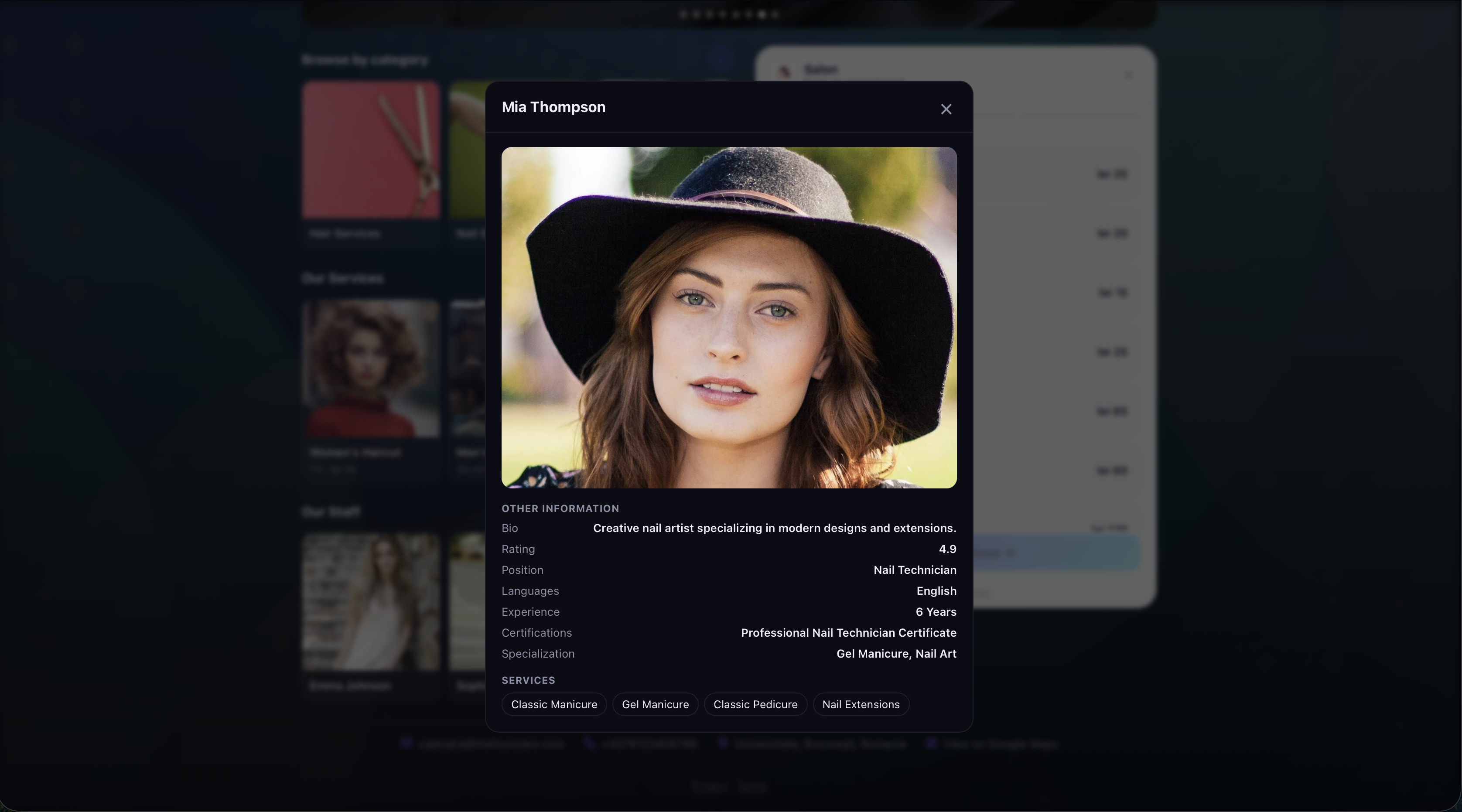
No website? No problem. Every Calendra account comes with a free hosted business page where customers can browse your venues and services and book online 24/7. Personalise it with your branding and details, share the link anywhere, and take bookings straight away — the full payment flow runs right on the page.
View a demo business page